AI Transcription Tools: 10 Best Picks for Accurate Meeting and Interview Notes in 2026
AI transcription tools compared for 2026: the 10 best for meetings and interviews, with accuracy, pricing, privacy and consent tips before you record.
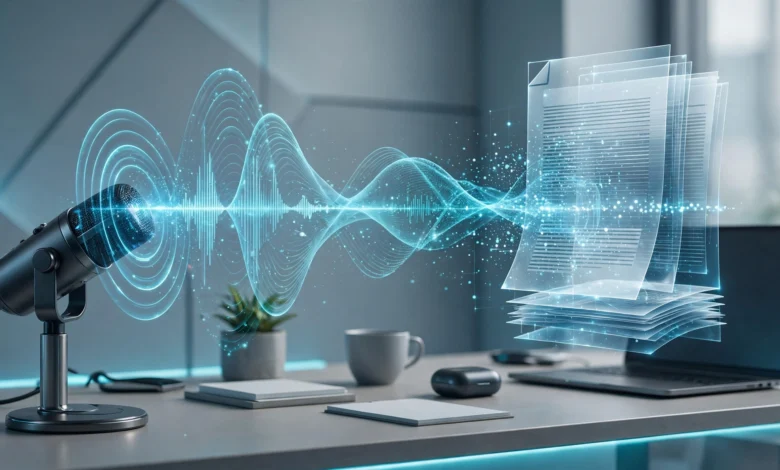
AI transcription tools have quietly become one of the most useful pieces of software in modern work. A few years ago, taking notes meant typing frantically while trying to follow the conversation, or paying a human service and waiting days for a transcript. Now, an AI note taker can join your call, transcribe every word, identify who said what, and send you a summary with action items before you’ve even closed the window.
That’s a huge time saver for meetings, sales calls, research interviews, podcasts and journalism. But the market has become crowded and confusing. Some tools send a visible bot into your meeting while others record quietly from your device. Some are free and generous, while others charge per user or per minute. Accuracy varies more than the marketing pages admit, especially when people talk over each other or have strong accents.
There’s also a newer concern that every buyer should take seriously: consent. In 2025, a group of lawsuits accused Otter.ai of recording people in meetings without their permission, and the case has made recording etiquette a legal issue rather than just a courtesy.
This guide compares ten of the best AI transcription tools for meetings and interviews in 2026. You’ll see what each one does well, how it’s priced, where it falls short, and who it suits best. We’ll also cover how to choose between bot-based and bot-free tools, when human transcription still makes sense, how to get better accuracy, and how to stay on the right side of consent laws. Pricing changes often, so confirm current plans before signing up.
Why AI Transcription Tools Have Become Essential
The shift to remote and hybrid work turned meetings into one of the biggest time sinks in many jobs. Meeting transcription software helps in several ways:
- You stay present. Instead of scribbling notes, you can focus on the conversation.
- Nothing gets lost. Promises, decisions and deadlines are captured word for word.
- Summaries save time. AI turns an hour-long call into a few key points and action items.
- Searchable archives. You can search past meetings for a specific topic or quote.
- Better follow-up. Many tools push notes into CRMs, project tools or email.
One reviewer explained why they got serious about transcription: after misremembering a promise about deliverable dates on a client call, it cost them an awkward apology and an unnecessary discount. That’s the practical case for these tools in a single story. A transcript is a business record.
The Market Has Split Into Categories
Choosing gets easier once you understand the main categories. As one comparison notes, the AI note-taker market has split into tools for individual productivity, sales intelligence platforms, video clip tools, bot-free capture for sensitive meetings, and platform-native AI like Zoom AI Companion and Microsoft Copilot. Picking the wrong category means paying for features built for someone else.
How AI Transcription Tools Work
Most tools follow a similar process:
- Capture audio. Either a bot joins your video call, or software records audio directly from your device.
- Convert speech to text. A speech-to-text model transcribes the audio.
- Identify speakers. The tool labels who said what, a feature called speaker identification or diarization.
- Summarize. A language model generates summaries, key points and action items.
- Share and integrate. Notes are sent to your inbox, CRM, docs or project tools.
Bot-Based vs Bot-Free Recording
This is one of the biggest choices you’ll make.


- Bot-based tools send a visible participant, like “Fathom Notetaker,” into your call. It’s transparent but can feel intrusive, and some organizations block them.
- Bot-free tools record audio on your own device without a visible participant. They’re less disruptive but put more responsibility on you to tell others the meeting is being transcribed.
Understanding Transcription Accuracy
Every tool claims high accuracy, but real-world results depend on your audio.
What Affects Accuracy
- Audio quality. Good microphones make a big difference.
- Crosstalk. Overlapping voices are the hardest challenge for AI.
- Accents and dialects. Accuracy can drop for non-native speakers or strong regional accents.
- Technical jargon. Industry terms and names are often misheard.
- Background noise. Cafés, open offices and echoey rooms hurt results.
One tester puts it bluntly: no tool on their list hits the 99% accuracy marketing pages claim once real people with real accents talk over each other, so you should budget time to fix transcripts, not just read them.
A Practical Accuracy Tip
Among AI options, Otter.ai and Fireflies.ai handle speaker separation best when everyone speaks at least once in the first minute, so the tool can build voice profiles. A quick round of introductions at the start of a call can noticeably improve speaker labels.
The 10 Best AI Transcription Tools in 2026
Here’s a detailed look at ten leading tools for meetings and interviews.
1. Otter.ai: Best for Live Captions and General Meetings
Otter.ai is one of the best-known AI note takers and a solid all-round choice for business meetings.
What it does well:
- Real-time transcription and live captions during meetings.
- Summaries, action items and searchable meeting history.
- Works with Zoom, Google Meet and Microsoft Teams.
One comparison calls Otter the best fit for real-time live captions during meetings, and another claims Otter edges out rivals with 93% to 95% accuracy in good conditions (that estimate comes from a competing vendor, so treat it as indicative).
Pricing: Otter’s free Basic plan includes 300 minutes a month, with paid plans for more.
Limitations: Language support is narrower than some rivals, with Otter working best in three languages. Otter is also at the center of the privacy litigation covered later in this article, so review its consent settings carefully.
Best for: Teams that want live captions and a searchable meeting system of record.
2. Fireflies.ai: Best for Sales Teams and Integrations
Fireflies.ai is built for teams that want meeting data to flow into other tools.
What it does well:
- Deep CRM integrations with tools like Salesforce and HubSpot.
- Strong search across past meetings.
- Broad language support, with more than 60 languages.
Pricing: Fireflies is about $10 per user per month for sales-focused use, and its free plan includes 800 minutes per seat.
Best for: Sales, customer success and multilingual teams that want transcripts to feed into CRMs and workflows.
3. Fathom: Best Free AI Note Taker
Fathom has become a favorite because of its generous free plan.
What it does well:
- Unlimited free cloud recording and transcription.
- Records, transcribes and creates a clip reel of key moments.
- Fast post-call processing and clean summaries.
Pricing: Fathom’s free plan offers unlimited recording, though one comparison notes AI summaries are capped at five a month on the free tier; another describes the free summaries as unlimited, so check the current terms. Paid plans start around $15 a month for Premium and about $19 per user for team tiers with CRM syncing.
Limitations: Fathom only works on video calls, so it isn’t useful for podcasts recorded in other apps. It covers 38 languages, but accuracy drops with accents.
Best for: Individuals and small teams who want high-quality meeting notes at no cost.
4. Granola: Best Bot-Free Note Taker
Granola takes a different approach. It doesn’t send a bot into your meeting. Instead, it listens to your device audio and combines your own notes with AI-generated ones.
What it does well:
- No visible bot, which makes calls feel more natural.
- Blends your handwritten notes with AI enhancements for notes that read like a person wrote them.
- Available on both Mac and Windows.
Privacy approach: Granola says desktop audio is transcribed and then discarded, leaving only the transcript and notes. That’s different from tools that keep recordings for playback or coaching.
Pricing: Granola is free for 25 meetings, then costs about $18 a month for individuals.
Limitations: Granola supports around 10 languages on desktop, fewer than Fireflies or Fathom. Because there’s no bot, you’re responsible for letting others know you’re transcribing.
Best for: Founders, product managers, consultants and anyone who wants a discreet, note-first workflow.
5. Rev: Best for Maximum Accuracy and Human Backup
Rev offers both AI transcription and professional human transcription, which makes it especially useful for interviews, legal work, research and journalism.
What it does well:
- Human transcription remains the most accurate option for multi-speaker recordings, because people can separate overlapping voices in ways AI still struggles with.
- AI transcription for faster, cheaper drafts.
- Rev’s AI Notetaker is a good fit for teams that may need human-grade transcription backup for some calls.
Pricing: Human transcription is roughly $1.50 to $1.99 per minute depending on the source, with one listing citing a 99%+ accuracy guarantee.
Best for: Journalists, researchers, legal teams and anyone who needs near-perfect transcripts of important interviews.
6. Descript: Best for Podcast and Interview Editing
Descript combines transcription with a powerful editor that lets you edit audio and video by editing the text.
What it does well:
- Transcribes recordings accurately and quickly.
- Lets you delete words from the transcript to cut them from the recording.
- Removes filler words and cleans up audio.
- Great for turning interviews into polished podcasts or clips.
Independent reviewers say Descript wins for podcast editing.
Best for: Podcasters, video creators and interviewers who want to publish their recordings.
7. Notta: Best for Multilingual Teams
Notta is a flexible tool that handles both live meetings and uploaded files.
What it does well:
- Strong support for multiple languages.
- Works for live meetings and recorded files in one place.
- Translation features for international teams.
ALM Corp calls Notta a strong pick for multilingual teams and mixed live-plus-file workflows.
Best for: International teams and researchers working across languages.
8. Fellow: Best for Structured Team Meetings
Fellow goes beyond transcription to manage the entire meeting process.
What it does well:
- Structured agendas before meetings.
- Transcription and AI notes during meetings.
- An AI agent that helps turn meeting output into follow-up actions.
- Strong security features for regulated industries.
Fellow notes it was a top pick from The New York Times Wirecutter for transcribing and summarizing meetings (keep in mind this is Fellow’s own claim).
Pricing: The Business plan starts at $15 per user per month, with enterprise options including SSO and advanced admin controls.
Best for: Teams and regulated organizations that want meetings connected to real follow-through.
9. Zoom AI Companion and Microsoft Copilot: Best Built-In Options
If your organization already standardizes on one video platform, its built-in AI may be enough.
What they do well:
- No extra tool to install or approve.
- Transcripts and summaries tied directly to your meeting platform.
- Easier to manage from an IT and compliance standpoint.
Pricing: Microsoft Copilot costs about $30 per user per month and works within Teams, while Zoom AI Companion is included with paid Zoom plans.
Best for: Organizations that want to avoid third-party bots and keep everything inside one platform.
10. Whisper and Local Transcription Tools: Best for Privacy and Offline Use
For maximum privacy, some people prefer tools that transcribe entirely on their own computer.
What they do well:
- Audio never leaves your device.
- No subscription required for many open-source options.
- Strong accuracy from modern open-source speech models.
Recent testing includes open-source options like Whisper Large-v3-turbo along with tools built on it, such as whisper.cpp, faster-whisper and WhisperX. Another comparison names NVIDIA’s Parakeet and Voxtral Realtime as leading open-source and local options with competitive accuracy and full data sovereignty.
There are also local meeting apps. Meetily, for example, offers 100% local transcription with a free open-source Community Edition, though it’s worth noting that this claim comes from Meetily’s own blog.
Best for: Journalists protecting sources, researchers handling sensitive data, lawyers, and privacy-conscious users.
Limitations: Local tools often need more setup and may lack polished summaries and integrations.
Quick Comparison of AI Transcription Tools
| Tool | Recording Style | Free Option | Approx. Paid Price | Best For |
|---|---|---|---|---|
| Otter.ai | Bot, live captions | 300 min/month | Paid tiers | Live captions |
| Fireflies.ai | Bot | 800 min/seat | About $10/user/month | Sales and CRM |
| Fathom | Bot | Unlimited recording | From about $15/month | Free notes |
| Granola | Bot-free | 25 meetings | About $18/month | Discreet notes |
| Rev | Upload or bot | Varies | $1.50 to $1.99/min human | Max accuracy |
| Descript | Upload | Free tier | Paid tiers | Podcasts |
| Notta | Live and upload | Free tier | Paid tiers | Multilingual |
| Fellow | Bot | Varies | From $15/user/month | Structured meetings |
| Zoom/Copilot | Built-in | With paid Zoom | Copilot about $30/user | Platform users |
| Whisper/local | On-device | Often free | Varies | Privacy |
Prices are approximate and change often. Always verify on the vendor’s website.
Best AI Transcription Tools for Interviews
Interviews have different needs than meetings. You’re often recording in person, over the phone, or on a podcast platform, and accuracy matters more because quotes may be published.
What Interviewers Should Look For
- File upload support for recordings made outside video calls.
- High accuracy on names and quotes.
- Timestamps to find key moments quickly.
- Speaker labels for clear attribution.
- Export options in formats like Word or subtitles.
- Strong privacy, especially for sensitive sources.
Recommended Picks for Interviews
- Rev for published quotes, legal or research work where accuracy is critical.
- Descript for interviews that will become podcasts or videos.
- Whisper or local tools for confidential interviews.
- Otter or Notta for fast, affordable interview transcripts.
For a simple two-person interview recorded on decent microphones, Fathom’s free plan or Otter’s free 300 minutes a month is often enough to get a working transcript for show notes.
Privacy, Consent and the Otter.ai Lawsuit
This is the section many buyers skip, and it’s one of the most important.
What Happened
In August 2025, a federal lawsuit seeking class-action status accused Otter.ai of recording private conversations and using them to train its transcription service without permission. You can read the original report in NPR’s coverage of the Otter.ai class-action lawsuit.
The lawsuit alleged that Otter’s meeting assistant by default doesn’t ask all attendees for permission to record and doesn’t alert participants that recordings are shared with Otter to improve its AI. Otter has said audio is “de-identified” before being used to improve its speech recognition.
The Case Has Grown
Four related suits were later consolidated. According to UC Today’s report on the consolidated Otter.ai litigation, a judge combined the cases in October 2025, and Otter moved to dismiss them. Otter argues the plaintiffs don’t plausibly allege that it intercepted private communications, and its terms tell users to make sure they have the necessary permissions.
Legal experts see the case as a test of the “single-consent” model, where a meeting host agrees on behalf of everyone else. One privacy attorney called that approach risky in states like California that require all-party consent.
Institutions Are Taking Notice
Some organizations are tightening their rules. Read AI, for example, has been banned by policy from Zoom and Teams environments at the University of Washington, Chapman University and the University of California, Riverside.
What This Means for You
Whatever tool you use:
- Always tell participants when a meeting or interview is being recorded or transcribed.
- Get consent from everyone, especially in all-party consent jurisdictions.
- Check default settings, like automatic joining from calendar integrations.
- Review data policies on storage, retention and AI training.
- Choose bot-free or local tools carefully, since they make it easier to forget to disclose.
- Follow your employer’s policy on approved tools.
One review sums it up well: get consent before recording, since the Otter litigation makes that a legal point rather than just etiquette, and test a few tools on your own audio before committing.
How to Choose the Right AI Transcription Tool
Use these questions to narrow your options:
- What will you transcribe most? Video meetings, in-person interviews, phone calls or podcasts?
- How accurate does it need to be? Internal notes can tolerate errors. Published quotes cannot.
- Do you want a visible bot? Bot-based tools are transparent, while bot-free tools are more discreet.
- Which languages do you need? Fireflies and Notta cover more languages than some rivals.
- What integrations matter? CRMs, project tools and docs.
- How sensitive is the content? Consider local tools or strict retention settings.
- What’s your budget? Start with free tiers from Fathom, Otter or Fireflies.
- Does your organization allow it? Check IT and legal policies first.
Quick Recommendations
- Best free option: Fathom
- Best for live captions: Otter.ai
- Best for sales teams: Fireflies.ai
- Best bot-free option: Granola
- Best for accuracy: Rev human transcription
- Best for podcasts: Descript
- Best for multilingual work: Notta or Fireflies
- Best for structured team meetings: Fellow
- Best for platform users: Zoom AI Companion or Microsoft Copilot
- Best for privacy: Whisper-based local tools
Tips to Get More Accurate Transcripts
Even the best AI transcription tools do better with good input. Try these tips:
- Use a decent microphone. A basic external mic beats a laptop mic.
- Reduce background noise. Record in a quiet room when possible.
- Ask people to introduce themselves early so the tool can learn voices.
- Avoid talking over each other. Crosstalk is the hardest challenge for AI.
- Add custom vocabulary where supported, like company names and jargon.
- Review and correct key sections, especially quotes and numbers.
- Test several tools on your own recordings before choosing.
Common Mistakes to Avoid
- Trusting transcripts blindly. Always check important details.
- Forgetting consent. Recording without permission can create legal risk.
- Letting bots auto-join everything. Review calendar integration settings.
- Ignoring data retention. Know where recordings are stored and for how long.
- Paying for features you don’t need. Sales tools may be overkill for personal notes.
- Using AI alone for critical work. For legal or published material, consider human review.
Frequently Asked Questions About AI Transcription Tools
What is the most accurate AI transcription tool?
Accuracy depends on your audio, but Otter, Fireflies and Fathom are generally strong for meetings. For near-perfect accuracy, human transcription from Rev is still the most reliable option for multi-speaker recordings.
What is the best free AI transcription tool?
Fathom is widely considered the best free option because of its unlimited recording. Otter offers 300 free minutes a month, and Fireflies offers 800 minutes per seat.
Do AI note takers need permission to record?
Yes, you should always get consent. Some states and countries require all participants to agree, and the Otter.ai lawsuits have made this a serious legal issue.
What is a bot-free transcription tool?
It’s a tool that records audio directly from your device instead of sending a visible bot into the meeting. Granola is a leading example.
Can AI transcribe interviews in multiple languages?
Yes. Fireflies supports more than 60 languages, Fathom covers 38, and Notta is also strong for multilingual work.
Conclusion
The best AI transcription tools in 2026 make it easy to capture every word of your meetings and interviews while freeing you to stay present in the conversation, but the right choice depends on your needs: Fathom offers the most generous free plan, Otter.ai leads for live captions, Fireflies.ai suits sales teams with CRM integrations and 60+ languages, Granola is the top bot-free option, Rev provides human-level accuracy for critical interviews, Descript excels for podcasts, Notta serves multilingual teams, Fellow connects meetings to follow-through, Zoom AI Companion and Microsoft Copilot fit organizations already on those platforms, and Whisper-based local tools offer maximum privacy. Accuracy still depends heavily on audio quality and crosstalk, so plan to review important transcripts, and above all, take consent seriously, since the consolidated Otter.ai litigation shows that recording people without clear permission is now a legal risk, not just a matter of etiquette. Test a few tools on your own recordings, check privacy and retention settings, tell every participant when you’re transcribing, and you’ll get faster, more reliable notes without creating new problems.