Xero Accounting Software Review
Xero Review: Pricing, features, pros & cons of this powerful cloud accounting software. Is it the right fit for your small business?
Xero has quietly become one of the most talked-about names in small business accounting software. If you’ve been searching for a smarter way to manage your books without drowning in spreadsheets or wrestling with outdated desktop software, there’s a solid chance someone has already pointed you toward it. But does it actually live up to the hype?
That’s exactly what this review is here to answer.
Xero is a cloud-based accounting software built for small and medium-sized businesses, accountants, and bookkeepers. It was founded in New Zealand in 2006 and has since grown into a platform trusted by more than 3.7 million subscribers worldwide. It handles everything from invoicing and bank reconciliation to expense tracking, financial reporting, and third-party app integrations — all from a clean, browser-based dashboard.
Whether you’re a solo freelancer just getting started or a growing team that needs everyone in the books at once, Xero positions itself as a flexible, scalable solution. In this in-depth review, we cover Xero’s pricing plans, standout features, real user feedback, how it stacks up against QuickBooks, and the honest pros and cons you need before making a decision.
By the end, you’ll know exactly whether Xero is the right fit for your business in 2026.
Xero Review: What Is Xero and Who Is It For?
Xero is a double-entry accounting software delivered entirely through the cloud. You don’t install anything — you log in through a browser or the Xero mobile app on iOS or Android, and everything syncs in real time across devices.
It’s best suited for:
- Small business owners who want clean, automated bookkeeping without hiring a full-time accountant
- Freelancers and sole traders looking for a low-cost way to manage invoices and track cash flow
- Growing companies that need an unlimited number of users without paying per seat
- Accountants and bookkeepers who manage multiple clients and want a collaborative, cloud-first platform
Where Xero falls short is with very high-volume businesses (it works best for companies under around 2,000 transactions per month) or businesses that need deeply integrated payroll without a third-party add-on.
If you’ve been using manual spreadsheets or an older desktop system, Xero will feel like a meaningful step forward. If you’re coming from QuickBooks, the comparison is more nuanced — and we’ll get into that later.


Xero Pricing Plans: How Much Does Xero Cost?
Xero’s pricing is structured around three tiers. One of the biggest selling points, regardless of which plan you pick, is that all plans include unlimited users. That alone sets Xero apart from most competitors, including QuickBooks Online, which charges more as your team grows.
Here’s a breakdown of the current Xero pricing plans:
Early Plan — $20/month
The Early plan is designed for startups, solopreneurs, and new businesses with a small number of transactions. It includes:
- Send quotes and up to 20 invoices per month
- Enter up to 5 bills per month
- Bank reconciliation
- Access to Hubdoc for receipt and document capture
- Unlimited users
The invoice and bill caps make this plan a tight fit for most active businesses, but it works well if you’re just getting off the ground.
Growing Plan — $47/month
The Xero Growing plan removes the invoice and bill limits entirely and adds bulk reconciliation. It’s the most popular plan for day-to-day small business use and includes everything in Early, plus:
- Unlimited invoices and bills
- Bulk reconciliation of bank transactions
- Access to the full Xero accounting dashboard
This is the plan most small business owners will end up on once they’re past the startup phase.
Established Plan — $80/month
The Xero Established plan is the most comprehensive option. It’s designed for businesses managing multiple currencies, projects, or employee expenses. It includes everything in Growing, plus:
- Multi-currency accounting
- Expense claims and management
- Project tracking with time and cost monitoring
- Advanced analytics and in-depth financial reporting
For businesses operating internationally or running client-based projects, the Established plan is worth the extra cost.
Note: Xero frequently runs promotional discounts — sometimes up to 90% off for the first few months. Always check Xero’s official pricing page before committing to see what deals are currently available.
Payroll is not built in. You’ll need to integrate with Gusto, which starts at around $40/month. This is a real cost to factor in if you’re comparing total price against competitors.
7 Key Xero Features Worth Knowing
1. Bank Reconciliation
Bank reconciliation is one of Xero’s strongest areas. The software connects directly to your bank account and imports transactions automatically, then flags likely matches for you to approve with a click. It’s fast, clean, and accurate most of the time.
Xero connects to over 21,000 financial institutions globally, which is an impressive number. The auto-suggestion feature speeds things up considerably — though some users note the automatic predictions occasionally miss the mark and require manual correction.
On the Early plan, you’re limited to reconciling individual transactions one at a time. Bulk reconciliation only kicks in on the Growing plan and above, which is something to consider if transaction volume is a concern.
2. Invoicing
Xero’s invoicing tool lets you create and send professional invoices directly from the platform, accept online payments, and send automated reminders for overdue balances. The software supports integrations with Stripe and PayPal, which makes it easier for customers to pay online and reduces your payment collection time.
That said, many long-term users have expressed frustration with Xero’s updated invoicing interface. The platform retired its classic invoicing layout and replaced it with a newer system, which some users find clunkier and less intuitive. If you’re new to Xero, this won’t be a problem — but it’s a fair warning if you’re migrating from an older account setup.
3. Financial Reporting
Xero gives you a solid library of financial reports, including profit and loss statements, balance sheets, cash flow reports, and budget variance tracking. Reports are customizable and can be exported or shared directly with your accountant.
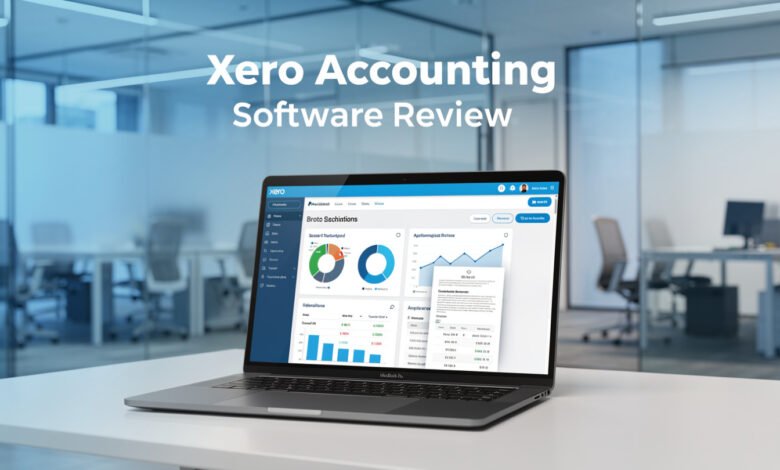
The Xero dashboard gives you a real-time snapshot of your financial health — outstanding invoices, upcoming bills, cash in and out, and your current bank balance — all visible at a glance. For business owners who don’t have a finance background, this kind of visual layout makes a meaningful difference.
4. Expense Tracking and Management
Expense tracking is included across all plans at a basic level. If you want full expense claim management — submitting receipts, approving claims, and managing employee expenses — that feature is only available on the Established plan.
Through the Xero mobile app, you can snap a photo of a receipt and attach it directly to a transaction. It’s one of those small conveniences that saves real time over the course of a month.
5. Third-Party App Integrations
Xero’s app marketplace includes over 1,000 third-party integrations, covering categories like inventory management, CRM, payroll, e-commerce, point-of-sale, and project management. Some popular integrations include:
- Gusto for payroll
- Stripe and PayPal for payments
- HubSpot and Salesforce for CRM
- Shopify for e-commerce
- Dext and Hubdoc for receipt capture
This breadth of integrations is one of Xero’s genuine competitive advantages. If you have an existing tech stack, there’s a good chance Xero can plug right into it.
6. Multi-Currency Accounting
Multi-currency support is available exclusively on the Established plan. Xero supports transactions in multiple currencies, handles exchange rate fluctuations automatically, and allows consolidated financial reporting across currencies. For businesses with international clients or suppliers, this is a genuinely useful feature.
7. Collaboration and Unlimited Users
Every Xero plan includes unlimited users — no extra fees, no per-seat pricing. This is one of the most frequently praised aspects of Xero, particularly for teams that work with outside bookkeepers or accountants.
You can invite your accountant directly into your Xero account, giving them real-time access to your books without back-and-forth file sharing. For businesses that value financial collaboration, this is a significant practical benefit.
Xero vs QuickBooks: Which Is Better for Small Businesses?
The Xero vs QuickBooks comparison is the most common question people ask before choosing an accounting platform, so it deserves a direct answer.
Here’s where the key differences sit:
| Feature | Xero | QuickBooks Online |
|---|---|---|
| Starting price | $20/month | $35/month |
| Unlimited users | Yes (all plans) | No (user caps apply) |
| Payroll | Via Gusto (add-on) | Built-in (add-on cost) |
| Integrations | 1,000+ | 750+ |
| Multi-currency | Established plan | Advanced plan only |
| Mobile app | iOS and Android | iOS and Android |
| Phone support | No | Yes |
| Free trial | 30 days | 30 days |
Xero generally wins on price-per-user, integration flexibility, and ease of use for business owners without deep accounting knowledge. QuickBooks tends to win on built-in features, native automation, and phone support availability.
If you’re a US-based business already embedded in the Intuit ecosystem, QuickBooks is probably the more comfortable choice. If you’re starting fresh or building a team that needs shared access to financial data, Xero’s unlimited user model and cleaner interface are compelling reasons to go with it.
For a deeper look, NerdWallet’s Xero vs QuickBooks comparison is a solid resource worth checking out.
Xero Pros and Cons: The Honest Breakdown
What Xero Does Well
- Unlimited users on every plan — a genuine differentiator that most competitors don’t match
- Clean, intuitive dashboard that’s approachable even for non-accountants
- Strong bank reconciliation with automated matching and real-time bank feeds
- 1,000+ integrations that make it easy to connect with existing business tools
- Multi-currency support for internationally active businesses (Established plan)
- 30-day free trial to test the platform before committing
- Mobile app available on iOS and Android for managing finances on the go
- Scalable pricing that doesn’t penalize you for team growth
Where Xero Falls Short
- No phone support — all support goes through email and online channels, which frustrates users who prefer real-time help
- Payroll is not built in — you’ll need to integrate Gusto, which adds to your monthly cost
- Early plan is very limited — the invoice and bill caps make it unsuitable for most active businesses
- New invoicing interface has received consistent criticism from long-term users
- Not ideal for high-volume businesses — best suited for businesses handling under ~2,000 transactions per month
- Price increases — Xero has raised its prices several times since 2021, which has frustrated some existing subscribers
Xero Security and Data Protection
Xero takes data security seriously. The platform uses industry-standard 256-bit TLS encryption for data in transit and encrypts data at rest. As a cloud-based platform, your data is automatically backed up and accessible from any device with an internet connection.
Xero also offers two-step authentication to protect account access and maintains multiple redundant data centers to ensure uptime. For small businesses handling sensitive financial data, these are the kinds of security foundations you want in place.
The software also includes an audit trail feature, which logs all changes made to financial records over time. This is valuable for maintaining accountability across a team and keeping financial records accurate.
Xero Customer Support: What to Expect
This is one area where Xero draws consistent criticism. The platform does not offer phone support. All customer service goes through its online support portal, which relies on email tickets and a knowledge base.
The good news is that Xero’s documentation is extensive, and the platform has a large user community with active forums. For common issues, you’ll usually find an answer without needing to contact support directly.
That said, for users who hit a complex issue or need real-time help during a busy tax period, the lack of live support is a genuine limitation. If direct phone access to support is a non-negotiable for you, QuickBooks or FreshBooks would be worth considering.
Xero does offer a free onboarding session for new users, which helps with initial setup and getting familiar with the interface. Several users have praised this as a useful starting point, particularly for those new to accounting software.
Xero Mobile App Review
The Xero mobile app is available on both iOS and Android. It covers the core day-to-day tasks well:
- View your dashboard with cash flow and outstanding invoices
- Create and send invoices
- Snap and attach receipt photos to transactions
- Accept payments on the go with tap-to-pay functionality
- View bank transactions and reconcile from your phone
The app is intentionally simplified compared to the full desktop experience. Features like the chart of accounts and full reporting tools are not available on mobile. For most business owners, though, the mobile app handles what you’d realistically want to do on a phone, and it does it cleanly.
It’s worth noting that Xero’s mobile app supports tap-to-pay functionality on both Android and iPhone — a feature that QuickBooks currently does not offer. For service-based businesses collecting payment on-site, that’s a meaningful practical advantage.
Who Should Use Xero in 2026?
Xero is a strong fit if you:
- Run a small to medium-sized business with a growing team that needs shared access to financial data
- Work with an accountant or bookkeeper and want real-time collaboration without file transfers
- Operate internationally and need multi-currency accounting (Established plan)
- Want a simpler, more intuitive alternative to QuickBooks with a lower learning curve
- Already use third-party tools like Shopify, HubSpot, or Stripe and need deep integrations
- Value a clean, mobile-accessible dashboard over a feature-heavy but complicated interface
Xero may not be the best fit if you:
- Need built-in payroll without an additional monthly cost
- Handle a very high volume of daily transactions (2,000+/month)
- Rely on phone support as part of your workflow
- Are running a restaurant or retail business with complex inventory needs — QuickBooks handles those scenarios more natively
Real User Reviews: What People Are Actually Saying About Xero
On Capterra, Xero holds a strong rating with thousands of verified reviews. Users frequently highlight the clean interface, the ease of bank reconciliation, and the affordability of unlimited users. One reviewer described it as threading the needle perfectly between simplicity and capability — easy enough to not feel overwhelming, but robust enough to handle real business needs.
On Trustpilot, the picture is more mixed. Many positive reviews praise the onboarding experience and customer support turnaround time. Negative reviews tend to cluster around two themes: recent price increases and the updated invoicing interface. A recurring complaint from long-term subscribers is that price hikes haven’t been accompanied by visible feature improvements.
According to Capterra’s verified user reviews, users in accounting, retail, and professional services consistently praise Xero for improving workflow efficiency and simplifying day-to-day financial management. The critical reviews tend to come from users who run multiple business entities simultaneously, citing friction when switching between company accounts.
Conclusion
Xero is one of the most capable and genuinely user-friendly cloud accounting software options available for small businesses in 2026. Its combination of unlimited users across all plans, over 1,000 third-party integrations, solid bank reconciliation, real-time financial dashboards, and a clean mobile app makes it a compelling choice for growing businesses that want to manage their finances without complexity. The three-tier pricing structure — Early at $20/month, Growing at $47/month, and Established at $80/month — gives businesses room to scale without switching platforms. Where Xero falls short is on phone support, built-in payroll, and the invoicing interface that has frustrated long-term users. But for most small businesses starting fresh or looking for a smarter alternative to traditional software, Xero delivers real, practical value — and it’s worth trying on the 30-day free trial before making any commitment.