AI Voice Cloning Tools 2026: 10 Best Picks for Realistic Voices and Pro Audio Editing (Essential Guide)
AI voice cloning tools compared for 2026: the best apps for realistic voiceovers, podcast cleanup, and audio repair, plus consent and legal basics.
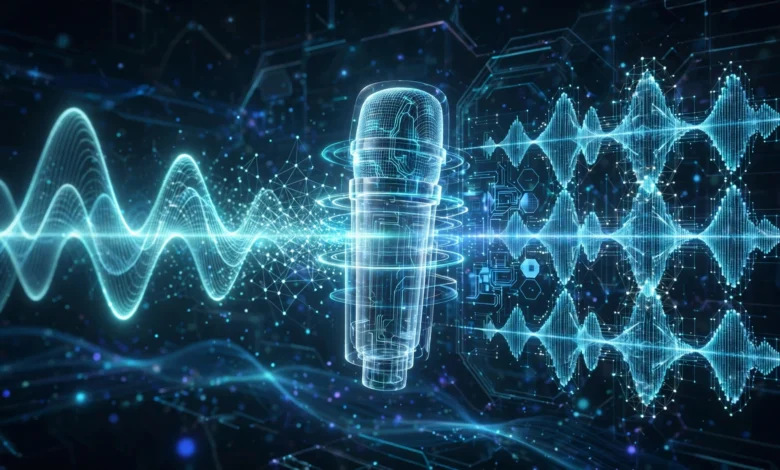
AI voice cloning tools have changed what one person with a laptop can produce. A few years ago, recording a polished audiobook, a multilingual course, or a clean podcast meant booking studio time, hiring voice actors, and paying an audio engineer. Today, you can create a natural-sounding digital copy of your own voice from a short sample, translate it into other languages, and clean up a noisy recording with one click.
That power is useful for creators, educators, marketers, and businesses. It’s also why voice cloning sits at the centre of serious debates about consent, fraud, and deepfakes. The best tools on the market now pair impressive quality with safeguards like voice verification, watermarking, and clear rules about whose voice you can clone.
This guide covers both sides of the job. You’ll find the best AI voice cloning software for creating realistic voiceovers, along with the top AI audio editing tools for removing noise, fixing echo, levelling volume, and editing speech as easily as editing text. For each tool, we explain what it does best, where it falls short, who it suits, and how to use it responsibly.
We’ll also walk through how the technology works, compare the tools side by side, and cover the consent and legal basics every creator should know in 2026. Whether you’re launching a podcast, narrating videos, or producing content in multiple languages, you’ll come away knowing which tools are worth your time and how to get professional-sounding results without crossing any lines.
How AI Voice Cloning Works
AI voice cloning uses machine learning models trained on huge amounts of human speech. When you upload a sample of a specific voice, the model learns its unique characteristics, such as pitch, tone, accent, pacing, and breathing patterns, and can then generate new speech in that voice from text or from another person’s recording.
There are two main approaches:
- Instant voice cloning creates a usable voice from a short sample, sometimes under a minute. It’s fast and convenient, but quality can vary with emotional or unusual speech.
- Professional voice cloning trains on a much longer, clean recording, often 30 minutes or more. It takes longer to set up but produces a far more accurate and consistent result.
Most platforms use text-to-speech (TTS), where you type a script and the cloned voice reads it. Some also offer speech-to-speech, where you record a performance and the tool converts it into the target voice while keeping your timing and emotion.
How AI Audio Editing Works
AI audio editing tools use models trained to separate speech from noise and to recognise common recording problems. They can:
- Remove background noise, hum, and hiss
- Reduce echo and room reverb
- Even out loudness across speakers
- Cut filler words like “um” and “uh”
- Transcribe speech so you can edit audio by editing text
- Repair clipping, clicks, and plosives
The result is that a recording made on a laptop microphone in a spare room can sound far closer to a studio recording.


How We Chose These Tools
Each tool on this list had to meet a few standards:
- Output quality that sounds natural, not robotic
- Ease of use for creators without audio engineering experience
- Responsible safeguards, such as consent checks for cloning
- Active development and a reliable track record
- Clear pricing, ideally with a free plan or trial
We’ve split the list into six voice cloning tools and four audio editing tools, though several overlap.
Best AI Voice Cloning Tools in 2026
Prices are approximate US figures as of October 2026 and change often. Check each tool’s official pricing page before subscribing.
1. ElevenLabs: Best Overall AI Voice Generator
ElevenLabs is widely seen as the leader in realistic AI voices. Its text-to-speech is expressive, handles emotion and pacing well, and supports dozens of languages. It offers both instant and professional voice cloning, plus AI dubbing that translates video while keeping the original speaker’s voice.
Best for: audiobooks, YouTube narration, e-learning, dubbing, and voice agents.
Key features:
- Instant cloning from a short sample and professional cloning from longer recordings
- Expressive models with emotion and multi-speaker dialogue controls
- AI dubbing across many languages
- A large voice library and tools for building voice agents
- Safeguards including voice verification for professional clones
Limitations: credit-based pricing can add up quickly for long projects like full audiobooks.
Pricing: a free tier with limited credits; paid plans start at around $5 to $6 a month for instant cloning, with professional cloning on the Creator plan at about $22 a month.
2. Descript: Best for Podcasters and Video Creators
Descript is an all-in-one audio and video editor that lets you edit recordings by editing the transcript. Delete a word in the text, and it disappears from the audio. Its voice cloning feature, long known as Overdub, lets you fix or replace lines in your own voice without re-recording.
Best for: podcasters, YouTubers, course creators, and anyone editing spoken content.
Key features:
- Text-based audio and video editing
- Custom voice cloning for correcting mistakes
- Studio Sound for one-click speech enhancement
- Automatic filler-word removal
- Remote recording, captions, and screen recording
Limitations: voice cloning is designed mainly for English and for your own voice, and it’s more than you need if you only want text-to-speech.
Pricing: a free plan to try it, with paid plans starting at roughly $16 to $24 a month.
3. Resemble AI: Best for Businesses and Developers
Resemble AI focuses on enterprise-grade voice cloning with strong security tools. Alongside cloning and speech-to-speech, it offers deepfake detection and audio watermarking, which appeals to companies that need to protect their brand voices.
Best for: businesses, game studios, call centres, and developers building voice products.
Key features:
- Custom voice cloning and speech-to-speech
- Real-time voice generation via API
- Audio watermarking and deepfake detection
- Multilingual support
Limitations: better suited to technical or business users than casual creators.
Pricing: pay-as-you-go and business plans. Check Resemble’s site for current rates.
4. Respeecher: Best for Film, TV, and Games
Respeecher specialises in high-end speech-to-speech voice cloning for entertainment. Studios use it to recreate voices for films, TV shows, and games, often with the consent of the actor or their estate. A voice actor performs the lines, and Respeecher converts the performance into the target voice.
Best for: film and TV production, game studios, and professional audio teams.
Key features:
- Highly realistic speech-to-speech conversion
- Preserves emotion, timing, and performance
- Strong focus on consent and ethical use
- Marketplace of licensed voices
Limitations: premium pricing and a workflow aimed at professionals rather than hobbyists.
Pricing: custom and project-based for studios, with lower-cost options for smaller creators.
5. Murf AI: Best for Business Voiceovers
Murf AI is a polished AI voiceover studio built for presentations, training videos, ads, and explainer content. It offers a large library of professional voices, timeline editing, and collaboration tools, with voice cloning available on higher tiers.
Best for: marketers, corporate trainers, and teams producing business videos.
Key features:
- Large library of natural business voices
- Sync voiceovers to video and slides
- Pronunciation and emphasis controls
- Team collaboration features
Limitations: voice cloning is limited to higher-priced plans, and voices can sound slightly less expressive than ElevenLabs for storytelling.
Pricing: a free trial, with paid plans starting at around $19 a month billed annually.
6. Fish Audio: Best Budget Voice Cloning Option
Fish Audio has become a popular lower-cost alternative for creators who want good cloning quality without premium pricing. It supports quick cloning from short samples and multiple languages.
Best for: budget-conscious creators, hobbyists, and high-volume content.
Key features:
- Fast voice cloning from short samples
- Multilingual text-to-speech
- Community voice library
- Competitive pricing for heavy use
Limitations: fewer professional production features, and you should review its content and consent policies carefully.
Pricing: a free plan with limited generation, plus affordable paid tiers.
A Note on Play.ht
Play.ht was once a popular choice for voice cloning, but after Meta acquired the team behind it in 2025, the standalone product was wound down. If you used it, you’ll need to move your voices to another platform. It’s a useful reminder to keep your original recordings and not rely on a single vendor for your voice assets.
Best AI Audio Editing Tools in 2026
7. Adobe Podcast: Best One-Click Speech Enhancement
Adobe Podcast is best known for Enhance Speech, a tool that makes voice recordings sound as if they were captured in a treated studio. Upload a noisy or echoey file, and it removes background noise and room sound while bringing the voice forward. It also offers browser-based recording and a mic check feature.
Best for: podcasters, interviewers, and creators with imperfect recording setups.
Key features:
- One-click speech enhancement
- Strength control to avoid over-processing
- Browser-based recording studio
- Mic check to improve your setup before recording
Limitations: heavy enhancement can sound slightly artificial, and it focuses on speech rather than music.
Pricing: a free tier with limits, with more capacity in Adobe’s paid plans.
8. iZotope RX: Best Professional Audio Repair Suite
iZotope RX is the industry-standard toolkit for audio repair in film, TV, music, and podcasting. Its AI-powered modules can remove clicks, hum, wind, clipping, reverb, and background noise with remarkable precision, and it includes dialogue isolation for separating voices from busy backgrounds.
Best for: audio engineers, post-production teams, and serious podcasters.
Key features:
- Dialogue isolation and advanced noise reduction
- De-reverb, de-click, de-hum, and de-clip modules
- Visual spectral editing for precise fixes
- An assistant that suggests repairs automatically
Limitations: a learning curve and a higher price than consumer tools.
Pricing: sold in Elements, Standard, and Advanced editions, with frequent discounts. Check iZotope for current pricing.
9. Auphonic: Best for Automatic Podcast Post-Production
Auphonic is a web-based service that automatically levels, cleans, and masters spoken-word audio. It balances loudness between speakers, reduces noise, removes filler words and silences, and exports to broadcast-ready loudness standards, saving hours of manual mixing.
Best for: podcasters, radio producers, and educators publishing regular episodes.
Key features:
- Automatic leveling and loudness normalisation
- Noise and hum reduction
- Multitrack processing for interviews
- Automatic publishing and transcription options
Limitations: less hands-on control than a full editor.
Pricing: free monthly processing hours, with paid credits and subscriptions for more.
10. Audacity: Best Free Audio Editor with AI Plugins
Audacity is a long-standing free, open-source audio editor. On its own, it’s a capable tool for cutting, mixing, and applying effects. With free AI plugins, such as Intel’s OpenVINO tools, it can also handle noise suppression, music separation, and transcription on your own computer.
Best for: beginners, students, and creators on a tight budget who prefer local processing.
Key features:
- Free and open source on Windows, macOS, and Linux
- Multi-track editing and a large range of effects
- Optional AI plugins for noise removal and transcription
- Processing on your own machine for better privacy
Limitations: the interface feels dated, and AI features need extra setup.
Pricing: free.
AI Voice Cloning and Audio Editing Tools Compared
| Tool | Main use | Voice cloning | Audio cleanup | Free option | Best for |
|---|---|---|---|---|---|
| ElevenLabs | Text-to-speech, cloning, dubbing | Instant and professional | Limited | Yes | Narration, dubbing, audiobooks |
| Descript | Text-based editing | Yes, own voice | Yes (Studio Sound) | Yes | Podcasts and videos |
| Resemble AI | Enterprise cloning | Yes | Limited | Trial | Businesses, developers |
| Respeecher | Speech-to-speech | Yes | No | Limited | Film, TV, games |
| Murf AI | Business voiceovers | Higher tiers | No | Trial | Training and marketing videos |
| Fish Audio | Budget cloning | Yes | No | Yes | High-volume creators |
| Adobe Podcast | Speech enhancement | No | Yes | Yes | Quick cleanup |
| iZotope RX | Pro audio repair | No | Yes, advanced | Trial | Post-production |
| Auphonic | Auto mastering | No | Yes | Yes | Regular podcasts |
| Audacity | Free editor | No | With AI plugins | Free | Beginners, budgets |
How to Choose the Right AI Voice Tool
Start with the job, not the brand. Ask yourself these questions:
- Do you need to create new speech, or improve existing recordings? For new speech, choose a cloning or text-to-speech tool. For existing recordings, choose an audio editing tool.
- Whose voice will you use? Your own voice is the simplest. Anyone else’s requires clear, written consent.
- How much content will you produce? Credit-based pricing suits occasional projects; heavy users should compare per-minute costs carefully.
- Do you need multiple languages? ElevenLabs and Resemble AI lead on multilingual output.
- How much control do you want? Beginners will prefer Descript or Adobe Podcast; professionals may want iZotope RX.
Recommended Combinations
- Podcaster: Descript plus Auphonic or Adobe Podcast
- YouTuber or course creator: ElevenLabs plus Descript
- Audiobook narrator: ElevenLabs professional cloning plus iZotope RX for final polish
- Business team: Murf AI or Resemble AI plus Adobe Podcast
- Beginner on a budget: Audacity plus a free tier of ElevenLabs or Fish Audio
Using AI Voice Cloning Tools Ethically and Legally
Voice cloning is powerful, and like any powerful tool, it can be misused. Scammers have used cloned voices to impersonate family members and executives, and fake audio of public figures has spread online. Using these tools responsibly protects you, your audience, and your reputation.
Always Get Consent
The golden rule is simple: only clone a voice you have permission to use. That means your own voice, or the voice of someone who has given clear, written consent for a specific purpose. Reputable platforms enforce this with verification steps, such as asking the speaker to read a specific consent statement.
A good consent agreement should cover:
- What the cloned voice will be used for
- How long it can be used
- Whether it can be used commercially
- How the person can withdraw consent
- How the voice data will be stored and deleted
Be Transparent with Your Audience
If content uses a synthetic voice, say so. Disclosure builds trust and is increasingly required by platforms and laws. Many video and podcast platforms now have labels or policies for AI-generated content.
Know the Legal Landscape
Laws around AI voice cloning are developing quickly and vary by country. A few key examples:
- United States: the Federal Communications Commission ruled in 2024 that AI-generated voices in robocalls fall under existing restrictions on artificial voices, as explained in the FCC’s announcement on AI-generated voices in robocalls. Some states, such as Tennessee with its ELVIS Act, have also passed laws protecting people’s voices from unauthorised AI copies, and federal proposals have been debated in Congress.
- European Union: the EU AI Act includes transparency obligations, set out in Article 50 of the EU AI Act, that require deepfake and AI-generated audio to be disclosed in many situations. These rules begin applying from 2026.
- Right of publicity and copyright: in many places, using someone’s voice for commercial purposes without permission can breach their personality or publicity rights.
This isn’t legal advice. If you’re using cloned voices commercially, especially another person’s voice, speak to a lawyer familiar with media and intellectual property law in your country.
Protect Your Own Voice
Creators with a public voice should also take steps to protect it:
- Choose platforms with strong verification and watermarking.
- Keep your original recordings and know where your voice data is stored.
- Read terms of service to see whether a platform can use your voice data to train its models.
- Agree a family “safe word” to help spot scam calls that use a cloned voice.
Tips for Getting Professional Results
Even the best AI voice generator depends on good input. These tips make a big difference:
For Voice Cloning
- Record clean samples. Use a quiet room, a decent microphone, and consistent distance from the mic.
- Match the style you need. If you want a calm narration voice, record calm narration, not a lively conversation.
- Provide enough audio. Professional cloning benefits from 30 minutes or more of clean speech.
- Write for the ear. Short sentences, natural punctuation, and phonetic spellings for tricky names help the voice sound human.
- Edit the output. Adjust pacing, emphasis, and pauses, and regenerate lines that sound off.
For Audio Editing
- Fix problems at the source. AI cleanup works best on recordings that are already reasonably good.
- Don’t over-process. Too much noise reduction makes voices sound thin or robotic. Use strength controls.
- Process in stages. Clean noise first, then level volume, then master for loudness.
- Use headphones. Check your final audio on headphones and phone speakers before publishing.
- Keep originals. Always save untouched source files in case you need to redo the edit.
Conclusion
AI voice cloning tools and AI audio editors now let individual creators produce studio-quality sound that once required professional voice actors and engineers. ElevenLabs leads for realistic, multilingual voices and dubbing, Descript makes podcast and video editing as simple as editing text, Resemble AI and Respeecher serve businesses and studios that need secure or performance-driven cloning, Murf AI suits polished business voiceovers, and Fish Audio offers a budget-friendly option. On the editing side, Adobe Podcast cleans speech in one click, iZotope RX remains the professional standard for audio repair, Auphonic automates podcast mastering, and Audacity offers a capable free option with AI plugins. Whichever tools you choose, start with clean recordings, match the tool to the job, compare credit-based pricing carefully, and keep backups of your original audio, as Play.ht’s shutdown showed. Above all, only clone voices you have clear permission to use, disclose synthetic audio to your audience, and stay aware of fast-changing rules in the US, EU, and elsewhere, so you get the creative benefits of AI audio without the legal and ethical risks.