Otter AI Review 2026: Is It Really the Best Meeting Assistant? 9 Brutally Honest Findings
Otter AI review for 2026: accuracy, features, pricing, privacy concerns, and how it compares with Fireflies, Fathom, and other meeting assistants.
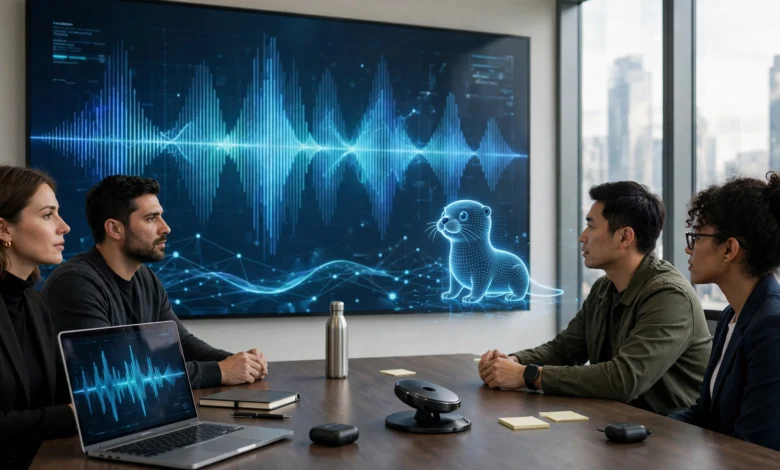
Otter AI was one of the first tools to make automatic meeting transcription feel normal. Years before every video app added its own AI notetaker, Otter was quietly joining Zoom calls, writing down who said what, and saving people from frantic note-taking. Today it is one of the best-known names in the category, with millions of users and more than $100 million in annual recurring revenue.
But the market looks very different now. Zoom, Microsoft Teams, and Google Meet all have built-in AI summaries. Rivals like Fireflies, Fathom, tl;dv, and Granola compete hard on price and features. And Otter itself is facing a high-profile class action over how its meeting bot records people who never agreed to it.
So is Otter AI still the best meeting assistant, or just the most familiar one?
This review answers that question honestly. It is based on Otter’s current features and pricing, independent accuracy tests, user ratings, and the latest legal developments, rather than marketing claims. You will find a clear breakdown of what Otter does well, where it falls short, what each plan really costs, how it stacks up against the main alternatives, and who should (and should not) use it. If you are deciding whether to pay for Otter AI, switch away from it, or try it for the first time, you will have what you need to make that call by the end.
What Is Otter AI?
Otter AI (officially Otter.ai) is an AI meeting assistant that records, transcribes, and summarizes conversations. Founded in 2016 by Sam Liang and Yun Fu in Silicon Valley, it started as a transcription app for interviews and lectures and has grown into a full meeting platform used by individuals, teams, and large companies.
At its simplest, Otter AI listens to a conversation and turns it into searchable text. At its most advanced, it acts as a company-wide knowledge base that stores every meeting, answers questions about them, and pushes notes into other business tools.
How Otter AI Works
There are three main ways to capture a conversation with Otter AI:
- The Meeting Agent joins your calls. Connect your Google or Microsoft calendar, and the Otter Meeting Agent (previously called OtterPilot) automatically joins scheduled Zoom, Microsoft Teams, and Google Meet meetings as a participant. It records, transcribes in real time, and sends a summary afterward.
- Record in person or on the go. The mobile and desktop apps can record a live conversation, a lecture, or an in-person meeting through your device’s microphone.
- Import recordings. Upload audio or video files and Otter AI will transcribe them, within your plan’s import limits.
Key Otter AI Features in 2026
Otter has added a lot over the past two years. Here are the features that matter most.
Real-Time Transcription
Real-time transcription is still Otter’s signature feature. As people talk, the transcript appears live, and you can highlight key moments, add comments, or tag teammates during the call. For people who are hard of hearing, joining in a second language, or simply need to follow fast discussions, this is genuinely useful.


Otter AI currently transcribes English, French, and Spanish, which is a narrower range than several competitors.
Speaker Identification
Otter separates the transcript by speaker and can learn to recognize voices over time, so recurring participants get labeled automatically. It works best when people take turns and use decent microphones. In noisy rooms or heated discussions with lots of crosstalk, labels can get mixed up and need fixing.
AI Meeting Summaries and Action Items
After each meeting, Otter produces an AI meeting summary with an overview, key discussion points, and a list of action items with owners where it can detect them. Summaries are usually ready within minutes and can be shared by email or pushed to connected apps.
Otter AI Chat
Otter AI Chat lets you ask questions about a meeting in plain language, such as “What did the client say about the budget?” or “Draft a follow-up email.” It also works across multiple meetings, so you can search a whole project’s history. You can even use it during a live call to catch up on something you missed.
Slide Capture
When someone shares a screen, the Meeting Agent can capture slides and insert them into the transcript at the right moment. It is a small feature that makes notes from presentations far easier to review.
Integrations and the Enterprise Knowledge Base
Otter connects with tools like Slack, Salesforce, HubSpot, Google Drive, and Dropbox, depending on your plan. In late 2025, the company launched an enterprise suite that pushed Otter AI beyond note-taking, including:
- An API for custom integrations with platforms like Jira and HubSpot
- An MCP server that connects Otter meeting data to outside AI models and assistants
- An AI agent that can search across a company’s meeting notes and presentations
As CEO Sam Liang told TechCrunch at the time, the goal is to evolve from a meeting notetaker into a corporate meeting knowledge base. Otter has also added sales-focused tools, such as real-time coaching during customer calls, and agents that can answer questions or speak up during meetings when prompted.
Mobile and Desktop Apps
Otter AI runs in the browser and has apps for iOS, Android, and desktop. The mobile app is one of the better ones in the category for recording in-person conversations, interviews, and lectures, which remains a big reason students and journalists use it.
Otter AI Pricing: What Each Plan Really Costs
Otter.ai pricing has four tiers. Prices below reflect published rates as of mid-2026. Always confirm current pricing on the official Otter.ai pricing page, since plans and limits change.
| Plan | Price (per user) | Transcription Allowance | Best For |
|---|---|---|---|
| Basic | Free | 300 minutes per month, with a cap of 30 minutes per conversation | Trying Otter AI or occasional short calls |
| Pro | $8.33/month billed annually ($99.99/year) or $16.99 month-to-month | 1,200 minutes per month, up to 10 file imports per month | Individuals with regular meetings |
| Business | $19.99/month billed annually or $30 month-to-month | Much higher limits, including unlimited meeting transcription per third-party pricing analyses, plus team admin features | Teams and small to mid-size companies |
| Enterprise | Custom pricing | Custom limits plus advanced security and controls | Large organizations with compliance needs |
The Free Plan: Good for a Test Drive
The Otter AI Basic plan is enough to see how the tool works, but the 30-minute cap per conversation is a real limit. Most work meetings run longer, which means the transcript simply stops partway through. Treat the free plan as a trial, not a long-term solution.
Pro: Solid Value for Individuals
On annual billing, Pro is one of the cheaper paid options in the category. The 1,200 monthly minutes cover around 20 hours of meetings, which is plenty for many freelancers, consultants, and students. Heavy users with back-to-back calls can hit that ceiling, though, and the limit on file imports frustrates people who transcribe a lot of recorded audio.
Business: Where Teams Should Start
Business adds team workspaces, admin controls, usage analytics, and higher limits. For teams, this is the realistic starting point. The jump from $8.33 to $19.99 per seat on annual billing, or to $30 month-to-month, adds up quickly as you add people, so budget for the full team.
Hidden Costs to Watch
- Monthly billing premium. Paying month-to-month costs roughly twice as much as the annual rate on Pro.
- Per-seat scaling. Every teammate who needs full access needs their own seat on team plans.
- Feature gates. Some integrations, advanced security options, and admin tools are only available on higher tiers.
- Editing time. If accuracy is not good enough for your meetings, the time spent fixing transcripts is a real cost too.
In short, Otter AI is competitively priced for individuals and fairly priced for teams, but the free plan is limited and the monthly rates are steep compared with annual billing.
How Well Does Otter AI Actually Perform?
Features look good on paper. What matters is how Otter AI performs in everyday meetings.
Transcription Accuracy
Otter’s accuracy is generally good in clear conditions: one speaker at a time, decent microphones, and standard accents. It drops in noisy rooms, with heavy crosstalk, and with industry jargon or unusual names. One hands-on test by The Business Dive, updated in August 2026, measured accuracy at around 85% and caught Otter transcribing “Fireflies AI” as “Fireplace AI,” a good example of how brand names and technical terms trip it up.
For most internal meetings, 85% to 90%-plus accuracy is enough to follow what happened, especially with the AI summary on top. For legal records, medical notes, published quotes, or anything that must be exact, you will still need to review and correct the transcript. You can improve results by adding custom vocabulary for names and terms you use often.
Ease of Use
This is where Otter AI shines. Setup takes minutes: connect your calendar and the Meeting Agent starts showing up to your calls. The interface is clean, transcripts are easy to search, and sharing notes with colleagues is simple. Users regularly praise how little effort it takes to get value from the tool, which helps explain its solid ratings, including about 4.4 out of 5 on Capterra.
Summary Quality
Otter’s AI summaries are clear and well organized, with useful action items. They are strongest for structured meetings like standups, client calls, and project reviews. In loose brainstorming sessions, summaries can miss nuance or give too much weight to side conversations, so a quick review before sharing is wise.
9 Brutally Honest Otter AI Findings: Pros and Cons
Here is the honest summary of where Otter AI stands in 2026.
What Otter AI Does Well
- Excellent live transcription. Watching the transcript appear in real time is still one of the best experiences in the category, and the ability to highlight and comment during the call is genuinely useful.
- Very easy to set up and use. Calendar sync and auto-join mean almost zero effort once you are connected.
- Strong AI Chat. Asking questions across one meeting or many is fast and practical, and it works during live calls.
- Great for in-person recording. The mobile app handles interviews, lectures, and face-to-face meetings better than many bot-only competitors.
- Affordable Pro plan. On annual billing, Pro is good value for individuals.
Where Otter AI Falls Short
- Limited language support. English, French, and Spanish only, which rules it out for many international teams.
- Accuracy drops in tough conditions. Accents, jargon, and crosstalk all lead to errors that need manual cleanup.
- Restrictive free plan. The 30-minute cap per conversation makes the free tier impractical for most real meetings.
- Privacy and consent concerns. Auto-joining bots and an ongoing class action make some organizations uneasy, as explained below.
Privacy, Consent, and the Otter AI Lawsuit
This is the issue every buyer should understand before rolling out Otter AI. In August 2025, a class action was filed in federal court in California claiming that Otter’s meeting bot joined calls and recorded people without the consent of all participants, and that recordings were used to train Otter’s speech models. Several cases have since been consolidated as In re Otter.AI Privacy Litigation.
Otter has argued that consent rests with the account holder who invites the bot and that it uses de-identified data for training. In August 2026, the court allowed several of the plaintiffs’ claims to move forward, including claims under federal and California wiretapping laws and Illinois’s biometric privacy law. As HR Executive reported on the ruling, the decision is a warning that AI notetakers can face liability even when a user invites them into the meeting. It is important to note that this is not a final judgment, and no court has found Otter liable.
What does this mean in practice?
- Tell people you are recording. Announce the recording at the start of every meeting and give participants a chance to object.
- Review auto-join settings. Turn off automatic joining for sensitive or external meetings if you are not sure everyone has agreed.
- Know your local laws. Several U.S. states and many countries require consent from all parties before recording.
- Check training and retention settings. Review Otter’s privacy settings and your company’s data policies, especially for confidential client conversations.
None of this is unique to Otter, since every AI notetaker raises the same questions. But because Otter AI is at the center of the most closely watched case, compliance teams are paying extra attention to it.
Otter AI vs the Competition
The question “Is Otter AI the best meeting assistant?” only makes sense next to the alternatives. Here is how Otter AI compares with the tools people most often consider instead.
Otter AI vs Fireflies.ai
Fireflies.ai is Otter’s closest rival. Both use a bot that joins your meetings, and both offer summaries, AI chat, and search. Fireflies supports a much wider range of languages and has deep integrations with CRMs and project tools, which makes it popular with sales and multilingual teams. Otter AI tends to win on live transcription and in-person recording through its mobile app. If your meetings are not mostly in English, French, or Spanish, Fireflies is usually the safer bet.
Otter AI vs Fathom
Fathom built its reputation on a generous free plan that lets individuals record and summarize unlimited meetings. Its summaries are clean and its setup is simple. Otter AI offers stronger real-time transcription, better in-person recording, and more mature team knowledge-base features. Budget-conscious individuals often start with Fathom, while teams that want a central meeting archive may prefer Otter.
Otter AI vs tl;dv
tl;dv focuses on recording video as well as audio, supports many more languages than Otter, and makes it easy to clip and share key moments. It suits product, research, and customer success teams that want to share video highlights. Otter AI is better if you mainly care about text transcripts and live notes.
Otter AI vs Granola
Granola takes a different approach: no bot joins the meeting. It captures audio from your computer and combines it with notes you type to create enhanced meeting notes. Many people like that it feels less intrusive for external calls. Otter AI is better for teams that want shared transcripts, automatic joining, and a searchable company archive, while Granola suits individuals who want personal, low-key note-taking.
Otter AI vs Built-In Tools (Zoom, Teams, and Meet)
Zoom AI Companion, Microsoft 365 Copilot in Teams, and Gemini in Google Meet now offer transcripts and summaries inside the platforms many companies already pay for. If your whole organization uses one platform, these built-in tools may be “good enough” at no extra cost. Otter AI still has an edge if you switch between Zoom, Teams, and Meet, record in-person conversations, or want one searchable archive across all of them.
Quick Comparison Table
| Tool | Standout Strength | Bot Joins Calls? | Best For |
|---|---|---|---|
| Otter AI | Live transcription and in-person recording | Yes | English-speaking teams and individuals who meet across platforms |
| Fireflies.ai | Wide language support and integrations | Yes | Sales and multilingual teams |
| Fathom | Generous free plan | Yes | Budget-conscious individuals |
| tl;dv | Video clips and highlights | Yes | Product and research teams |
| Granola | Bot-free note-taking | No | Individuals who want discreet notes |
| Built-in tools | Included with existing platform | No separate bot | Companies on a single video platform |
Who Should Use Otter AI?
Based on its strengths and weaknesses, Otter AI is a strong fit for:
- Professionals with lots of English-language meetings who want accurate live notes and quick summaries
- Students and researchers recording lectures, interviews, and study groups
- Journalists and writers who need fast, searchable interview transcripts
- Teams that meet across Zoom, Teams, and Meet and want one place to search everything
- People who are hard of hearing or prefer to follow conversations in text
Who Should Look Elsewhere
- Multilingual teams working beyond English, French, and Spanish
- Organizations with strict privacy or recording rules that cannot accept auto-joining bots until the legal picture is clearer
- Teams that need video highlights for sharing customer insights
- Light users who only need occasional summaries, since built-in tools or free alternatives may be enough
Otter AI FAQs
Is Otter AI free?
Yes, there is a free Basic plan with 300 minutes of transcription per month, but each conversation is capped at 30 minutes. Paid plans start at $8.33 per month on annual billing.
How accurate is Otter AI?
Accuracy is generally good with clear audio and standard accents, and independent tests have measured it at around 85% in mixed real-world conditions. Expect errors with jargon, names, heavy accents, and crosstalk.
Is Otter AI safe to use?
Otter AI uses standard security measures and offers enterprise controls, but it faces an ongoing class action over recording consent and data use. The safest approach is to announce recordings, review auto-join settings, and follow consent laws where you and your participants are located.
Does Otter AI work with Zoom, Teams, and Google Meet?
Yes. The Otter Meeting Agent can automatically join Zoom, Microsoft Teams, and Google Meet calls from your calendar, record them, and send summaries afterward.
What languages does Otter support?
Otter currently transcribes English, French, and Spanish. Teams that need other languages should consider alternatives with broader support.
What is the best alternative to Otter AI?
It depends on your needs. Fireflies.ai is a strong all-round alternative with wider language support, Fathom is great for individuals on a budget, tl;dv suits teams that want video clips, and Granola works well if you prefer no bot in your meetings.
Final Verdict: Is Otter AI the Best Meeting Assistant?
For English-speaking professionals, students, and teams who want excellent live transcription, easy setup, and a searchable record of every conversation, Otter AI is still one of the best choices available. It is not the best for everyone, though. Multilingual teams, budget-focused individuals, and organizations with strict consent rules may be better served by Fireflies, Fathom, Granola, or the AI tools already built into their video platform. Our overall rating: 4.2 out of 5, a strong, mature product held back by limited language support and unresolved privacy questions.
Conclusion
Otter AI remains a leading AI meeting assistant in 2026, thanks to fast real-time transcription, reliable speaker labels, useful AI meeting summaries, a capable Otter AI Chat, smooth integration with Zoom, Microsoft Teams, and Google Meet, and one of the better mobile apps for in-person recording, all backed by a growing set of enterprise tools that turn meetings into a searchable company knowledge base. Its pricing is fair, with a Pro plan at $8.33 per month on annual billing and Business at $19.99 per user, although the free plan’s 30-minute cap and the higher monthly rates limit its value for some users. The main drawbacks are support for only three languages, accuracy that dips with jargon and crosstalk, and an ongoing class action over recording consent that has already survived an early attempt to dismiss it, which makes clear recording policies essential. Compared with Fireflies.ai, Fathom, tl;dv, Granola, and built-in platform tools, Otter AI is the best fit for English-speaking users who meet across several platforms and value live notes, while others may find a better match elsewhere, so the smartest move is to test it on your own meetings before committing.