Top 10 Accounting Tools With the Best Invoicing Features (Proven Picks for 2026)
Top 10 accounting tools with the best invoicing features in 2026, compared by pricing, automation, and payment options for real business needs.
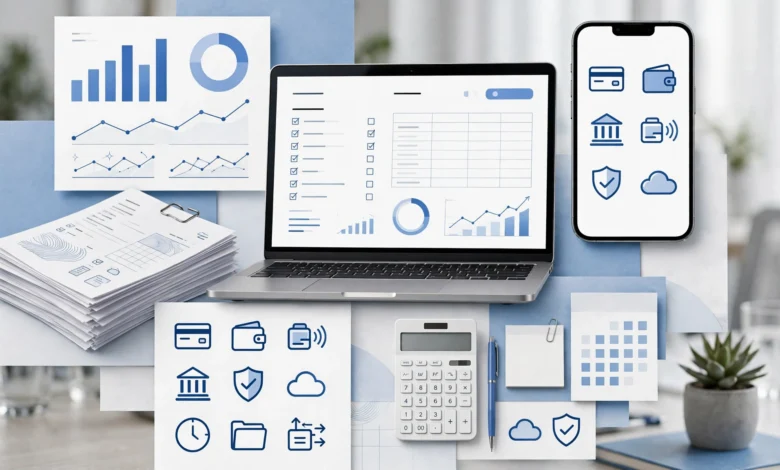
Top 10 accounting tools with the best invoicing features is exactly what you should be searching for if you’re tired of chasing late payments or wrestling with clunky invoice templates. Sending a professional invoice shouldn’t feel like a chore, but if your current software makes you manually calculate taxes, hunt down client emails, or wait days for payment notifications, it’s probably time to look at something better.
This guide compares ten accounting platforms that go beyond basic invoice generation. We looked at recurring billing, payment gateway options, automated reminders, customization, and how well each tool scales as your client list grows. Some of these are full accounting suites with invoicing built in, others are lighter tools built specifically around getting you paid faster.
Whether you’re a freelancer sending five invoices a month or a small business managing dozens of recurring clients, there’s a tool on this list suited to your workflow and budget. We’ve also included pricing where available, along with who each platform is genuinely best for, rather than just listing generic feature checklists. By the end, you’ll have a clear shortlist instead of another dozen open browser tabs to compare on your own.
How We Evaluated These Accounting Tools
Before ranking anything, it’s worth explaining what actually separates good invoicing software from an average one. We evaluated each platform based on:
- Invoice creation and customization — templates, branding, and line-item flexibility
- Payment collection — supported gateways, processing fees, and how fast funds land in your account
- Automation — recurring invoices, late payment reminders, and auto-charge options
- Integration — how well the invoicing function connects to the rest of your accounting system
- Scalability — whether the tool still works once you have 50 clients instead of 5
With that framework in mind, here’s how the top accounting tools with invoicing features stack up in 2026.
1. QuickBooks Online
QuickBooks Online remains one of the most widely used accounting platforms among US small businesses, and its invoicing tools are a big part of that reputation. It supports customizable invoice templates, automatic payment reminders, and progress invoicing for project-based work.
Key invoicing features:
- Online payments via credit card, ACH, and Apple Pay
- Automatic sales tax calculation on invoices
- Mobile invoicing through the QuickBooks app
- Integration with 750+ third-party apps
Best for: Small businesses that want an all-in-one accounting and invoicing system with strong accountant familiarity, since most bookkeepers already know how to work inside QuickBooks.
2. Xero
Xero doubles as a full accounting suite, which means your invoices sync directly with your books without any manual double entry. It’s particularly strong for businesses with a growing team, since Xero doesn’t charge per user the way some competitors do.


Key invoicing features:
- Unlimited invoices on every plan tier
- Repeating invoice templates for subscription-style billing
- Multi-currency invoicing for international clients
- Online bill payment through Stripe and GoCardless
Best for: Growing businesses that need multiple team members creating and approving invoices without paying extra per seat.
3. FreshBooks
FreshBooks is consistently ranked as one of the strongest invoicing platforms for service-based businesses and freelancers. Its invoicing tools are built around client relationships, with time tracking and project billing baked directly into the invoice workflow.
Key invoicing features:
- Automated late payment reminders
- Built-in time tracking that converts directly into billable invoice lines
- Client-facing project collaboration tools
- Retainer and deposit invoicing
Best for: Freelancers and consultants who bill by the hour and want their time tracking and invoicing to live in the same system.
4. Zoho Books
Zoho Books offers one of the more generous free plans in this list, making it a strong option for very small businesses or solopreneurs just getting started. Even at the free tier, invoicing functionality is fairly complete.
Key invoicing features:
- Client portal for invoice viewing and payment
- Automated payment reminders and recurring billing
- Multiple payment gateway integrations
- Free plan available for businesses under $50,000 in annual revenue
Best for: Solopreneurs and micro-businesses that want solid invoicing without a monthly subscription cost right away.
5. Wave
Wave is one of the few platforms offering genuinely free invoicing and light accounting features without a subscription fee. For very small businesses that don’t need advanced billing workflows, it covers the basics well.
Key invoicing features:
- Unlimited invoicing on the free Starter plan
- Simple expense tracking alongside invoicing
- Recurring invoice scheduling
- Basic financial reporting included
Best for: Very small businesses or side hustles that want free, no-frills invoicing without needing advanced customization or automation.
6. Sage Accounting
Sage Accounting offers dependable invoicing tools with solid customization options, including branded templates and automatic payment reminders. It’s a reasonable middle-ground option between the more expensive suites and the free-tier tools.
Key invoicing features:
- Customizable invoice templates with logo and brand colors
- Recurring billing for repeat clients
- Online payment acceptance directly through invoices
- Cash flow forecasting tied to outstanding invoices
Best for: Small businesses that want clean, professional invoicing without needing an extensive app marketplace.
7. Invoice Ninja
Invoice Ninja is built specifically around invoicing rather than full-scale accounting, which makes it lighter and more focused than most tools on this list. It’s particularly popular with freelancers who don’t need a complete bookkeeping system.
Key invoicing features:
- Free plan supports up to five clients with unlimited invoicing
- Custom branding options, including logo placement
- Client portal for viewing and paying invoices
- Recurring invoice automation
Best for: Freelancers who want dedicated invoicing software without paying for a full accounting suite they won’t use.
8. NetSuite
NetSuite, owned by Oracle, is a cloud-based ERP platform with invoicing built into a much larger financial management system. It’s a significant step up in complexity from the other tools on this list, but it’s built for businesses that have outgrown basic invoicing software.
Key invoicing features:
- Automated invoice generation tied to order management
- Multi-entity and multi-currency invoicing
- Advanced approval workflows for larger finance teams
- Real-time financial reporting alongside billing data
Best for: Mid-market and enterprise businesses that need invoicing integrated into a broader ERP system rather than a standalone tool.
9. HubSpot
HubSpot is best known as a CRM platform, but its invoicing tools are worth mentioning because they keep billing tied directly to the customer relationship record. This is useful for sales-driven businesses that want invoice history visible alongside deal and contact data.
Key invoicing features:
- Invoices generated directly from CRM deal records
- Centralized contact and contract history
- Payment tracking tied to the customer timeline
- Quote-to-invoice conversion
Best for: Sales-driven businesses already using HubSpot for CRM that want invoicing without switching to a separate platform.
10. Zoho Invoice / Quicken Business & Personal
Rounding out the list are two tools worth a mention depending on your setup. Zoho Invoice is a free, invoicing-only companion to Zoho Books for businesses that don’t need full bookkeeping. Alternatively, Quicken Business & Personal is built for freelancers and sole proprietors who want to manage business invoicing and personal finances in a single dashboard.
Key invoicing features:
- Zoho Invoice: unlimited free invoicing with no revenue cap
- Quicken: combined business and personal financial tracking
- Both offer recurring billing and payment reminders
- Mobile apps available for on-the-go invoice management
Best for: Freelancers and sole proprietors who want invoicing without paying for features they won’t use elsewhere.
Key Invoicing Features to Look for Before You Choose
Not every business needs the same invoicing capabilities. Before committing to one of these accounting tools, consider which of these features actually matter for how you bill clients:
- Recurring invoices — essential if you bill retainer clients or subscriptions monthly
- Payment gateway variety — more options mean fewer client complaints about how they can pay you
- Automated reminders — reduces the time you spend chasing late payments manually
- Multi-currency support — necessary if you work with international clients
- Client portals — lets clients view invoice history and pay without emailing back and forth
- Mobile invoicing — useful if you’re sending invoices from job sites or while traveling
Sage Accounting, QuickBooks, or Xero: Which Invoicing Tool Wins?
Since these three come up most often in comparisons, it’s worth a direct answer. QuickBooks Online tends to win on integration breadth and accountant familiarity. Xero wins on unlimited invoicing without per-user fees, which matters for growing teams. Sage Accounting wins on simplicity and price for businesses that just want clean, professional invoices without a steep learning curve. There isn’t a universal winner, it depends on whether you value integrations, team scalability, or straightforward pricing more.
For a deeper look at how invoicing software is evaluated across the industry, this Forbes Advisor invoicing software guide breaks down ratings methodology in more detail. If you want a broader view of accounting platforms beyond invoicing alone, this business.com accounting software review roundup is a solid additional reference point.
Conclusion
Choosing from the top 10 accounting tools with the best invoicing features ultimately comes down to matching the platform to how your business actually bills clients, not just picking whatever has the longest feature list. QuickBooks Online and Xero suit businesses that want invoicing tied to a full accounting system, FreshBooks and Invoice Ninja are built for freelancers who bill by the hour, Wave and Zoho Books offer strong free options for very small operations, and NetSuite makes sense once you’ve outgrown standalone invoicing altogether. Rather than chasing the tool with the most add-ons, focus on recurring billing needs, payment gateway support, and how well the software will still fit your business a year from now.