QuickBooks vs Sage Comparison 2026: The Ultimate Guide to Choosing the Better Accounting Software
QuickBooks vs Sage comparison covering 2026 pricing, features, and support to help you choose the better accounting software for your business.
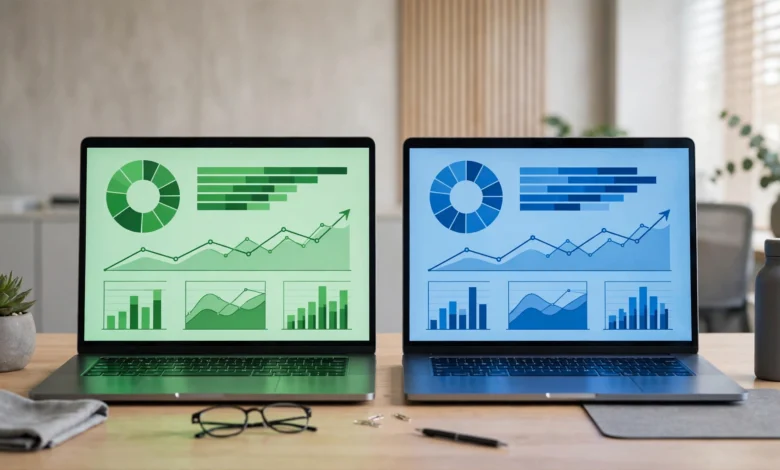
QuickBooks vs Sage is one of the most common searches small business owners run when they’re trying to pick accounting software, and for good reason. Both platforms have been around for decades, both are trusted by accountants, and both claim to make bookkeeping simpler. But once you get past the marketing pages, the two products are built quite differently, and 2026 has brought some notable changes worth knowing about before you commit.
Intuit raised QuickBooks Online pricing significantly in August 2026, with some plans jumping by over 40%. That shift alone has pushed a lot of small businesses to take a second look at alternatives, and Sage is frequently the name that comes up. But cheaper isn’t automatically better, and QuickBooks still holds real advantages in integrations and accountant familiarity that Sage doesn’t fully match.
This comparison walks through pricing, core features, ease of use, customer support, and who each platform actually fits best. Rather than declaring one an outright winner, we’ll break down where each software pulls ahead so you can match the decision to your specific business needs, whether that’s a freelancer sending a handful of invoices a month or a growing company managing inventory and a small finance team.
QuickBooks vs Sage: Company Background
Before comparing features, it helps to understand where each company comes from. QuickBooks, made by Intuit, launched in the early 1990s and has grown into the most widely used small business accounting software in the US, largely because most accountants and bookkeepers already know how to work inside it.
Sage, by comparison, is a UK-based company with roots going back to the 1980s. Sage Business Cloud Accounting, the small business product most people mean when they say “Sage,” is positioned as a simpler, more budget-friendly alternative aimed at freelancers and small teams rather than enterprise accounting departments.
QuickBooks vs Sage Pricing Breakdown
Pricing is usually the deciding factor for small businesses, and this is where the gap between these two platforms has widened considerably in 2026.
QuickBooks Online Pricing (2026)
Intuit raised prices for Essentials, Plus, and Advanced plans effective August 1, 2026. Current standard monthly pricing looks like this:
- Free plan — $0/month, limited to 1 user and 2 invoices per month
- Solopreneur — $20/month, built for freelancers and gig workers
- Simple Start — $38/month, for solo entrepreneurs needing core accounting
- Essentials — $85/month (up from $75), supports 3 users, time tracking, and bill management
- Plus — $140/month (up from $115), adds inventory and project profitability tracking
- Advanced — $340/month (up from $275), supports 25 users and advanced reporting
That Advanced plan increase works out to roughly a 40% jump in one year, and it’s part of why so many QuickBooks users are actively comparing alternatives right now.
Sage Accounting Pricing (2026)
Sage Accounting pricing has stayed considerably flatter and simpler by comparison:


- Accounting Start — around $20/month, for basic invoicing and expense tracking
- Accounting Standard — around $40/month, adds quotes, purchase invoices, and multi-currency support
- Accounting Plus — around $50/month, adds inventory management and project tracking
Even at the top tier, Sage’s most expensive plan costs less than QuickBooks’ second-cheapest paid plan. That gap becomes especially significant for growing businesses that would otherwise need QuickBooks Essentials or Plus.
Which Is Cheaper: QuickBooks or Sage?
For businesses that need multi-user access, inventory tracking, or project management, Sage Accounting is meaningfully cheaper than QuickBooks Online in 2026. A business that would pay $140/month for QuickBooks Plus can get comparable inventory and project features from Sage Accounting Plus for around $50/month. The tradeoff is that QuickBooks includes a broader integration ecosystem and more advanced automation at those higher tiers, so the extra cost isn’t purely padding.
Feature Comparison: Invoicing and Payments
Both platforms handle core invoicing well, but there are differences worth noting.
QuickBooks Online includes:
- Customizable invoice templates with automatic payment reminders
- Online payments via credit card, ACH, and Apple Pay
- New “Invoicing on Autopilot” automation features rolled out alongside the 2026 price increase (currently in beta)
- Progress invoicing for milestone-based project billing
Sage Accounting includes:
- Branded, customizable invoice templates
- Recurring billing for repeat clients
- Online payment acceptance directly through invoices
- Simpler interface with fewer setup steps for basic invoicing
If you want cutting-edge automation and don’t mind some features still being in beta, QuickBooks currently has the edge. If you want dependable, no-frills invoicing without a learning curve, Sage handles the basics just as well at a lower cost.
Feature Comparison: Bank Reconciliation and Reporting
QuickBooks Online connects to a wide range of banks and offers detailed cash flow, profit and loss, and balance sheet reports, plus AI-assisted transaction categorization introduced in the 2026 update cycle. Reporting depth increases significantly at the Plus and Advanced tiers, with class and location tracking, budgeting tools, and custom dashboards.
Sage Accounting also connects to major bank feeds and includes standard financial reports along with a cash flow forecasting tool available from the Standard plan upward. It’s less granular than QuickBooks’ higher-tier reporting, but for a small business that mainly needs to know where its cash stands, it covers the essentials without extra clutter.
Feature Comparison: Inventory and Project Tracking
- QuickBooks Plus and Advanced offer detailed inventory tracking, purchase orders, and project profitability reporting, useful for businesses with more complex stock or multi-project operations.
- Sage Accounting Plus offers basic inventory and project tracking at a fraction of the cost, suitable for smaller product catalogs or straightforward project billing.
If your business has genuinely complex inventory needs, multiple warehouses, or detailed job costing, QuickBooks’ higher tiers will likely serve you better. For simpler inventory tracking, Sage gets the job done without the added expense.
Ease of Use and Learning Curve
This is one area where user feedback consistently favors Sage Accounting. Its interface is generally described as cleaner and less overwhelming for people without an accounting background. QuickBooks, especially at the Plus and Advanced tiers, packs in more features and reporting options, which is powerful but can feel like a steeper learning curve for someone setting up their books for the first time.
That said, QuickBooks’ popularity works in its favor here too: because so many bookkeepers and accountants already know the platform, it’s often easier to find help, tutorials, and QuickBooks-certified ProAdvisors than equivalent Sage specialists, depending on your region.
Customer Support Comparison
- QuickBooks offers phone, chat, and community forum support, with live bookkeeping add-ons available for an additional fee. Support quality varies by plan tier, with faster response times generally reserved for higher-paying customers.
- Sage Accounting offers email and chat support, though some users report slower response times compared to QuickBooks, particularly during peak tax season.
Neither platform has a flawless support reputation, but QuickBooks’ larger support infrastructure and wider network of certified advisors give it a slight edge for businesses that anticipate needing frequent help.
Integrations and Add-Ons
QuickBooks Online connects with over 750 third-party apps, covering payroll, e-commerce, CRM, time tracking, and industry-specific tools. This is one of its biggest advantages over Sage, especially for businesses that rely on a broader tech stack.
Sage Accounting has a smaller app marketplace by comparison. It covers the essentials, payment gateways, payroll add-ons, and a handful of popular business tools, but businesses with more specialized integration needs may find gaps that QuickBooks doesn’t have.
QuickBooks vs Sage: Pros and Cons Summary
QuickBooks Pros
- Extensive integration ecosystem (750+ apps)
- Widely known by accountants and bookkeepers
- Strong reporting and dashboard tools at higher tiers
- New AI-powered automation features rolling out in 2026
QuickBooks Cons
- Significant price increases across Essentials, Plus, and Advanced in August 2026
- Some new AI features remain in beta with usage limits
- Steeper learning curve at higher tiers
Sage Pros
- Considerably lower cost across all tiers
- Clean, straightforward interface
- Solid core invoicing, reconciliation, and reporting
- Predictable, flat-rate pricing with fewer surprise increases
Sage Cons
- Smaller integration marketplace
- Less advanced reporting at the top tier compared to QuickBooks Advanced
- Support response times can lag during busy periods
Who Should Choose QuickBooks?
QuickBooks makes the most sense for:
- Businesses that rely heavily on third-party integrations (POS systems, CRMs, industry-specific tools)
- Companies that already work with an accountant or bookkeeper familiar with QuickBooks
- Growing businesses that need detailed multi-user permissions and advanced reporting
- Businesses willing to absorb higher costs in exchange for a broader feature set
Who Should Choose Sage?
Sage Accounting is the better fit for:
- Small businesses and freelancers prioritizing cost predictability
- Teams that want a simpler interface without a steep onboarding process
- Businesses with straightforward invoicing, reconciliation, and basic inventory needs
- Companies that got hit by the 2026 QuickBooks price increase and are actively looking to cut software costs
For more detail on exactly how much QuickBooks pricing changed this year, Intuit’s own announcement is worth reading directly: QuickBooks Online pricing changes. And for an independent breakdown of Sage’s current plan structure and reported hidden costs, this Sage Accounting pricing analysis is a useful reference point.
Conclusion
The QuickBooks vs Sage decision in 2026 largely comes down to budget versus breadth. QuickBooks Online remains the stronger choice for businesses that need extensive integrations, detailed reporting, and accountant familiarity, but the August 2026 price increases, especially on the Plus and Advanced plans, have made it a notably more expensive commitment than it was a year ago. Sage Accounting, by contrast, offers dependable core accounting and invoicing features at a fraction of the cost, with a simpler learning curve that suits small businesses and freelancers well. Neither platform is objectively better across the board, so the right pick depends on whether your priorities lean toward deep functionality or predictable, lower-cost simplicity.