Top 10 Accounting Tools That Integrate With Your Bank: Smart, Powerful Picks for 2026
Top accounting tools that integrate with your bank, compared by connection reliability, reconciliation speed, and who each one fits best.
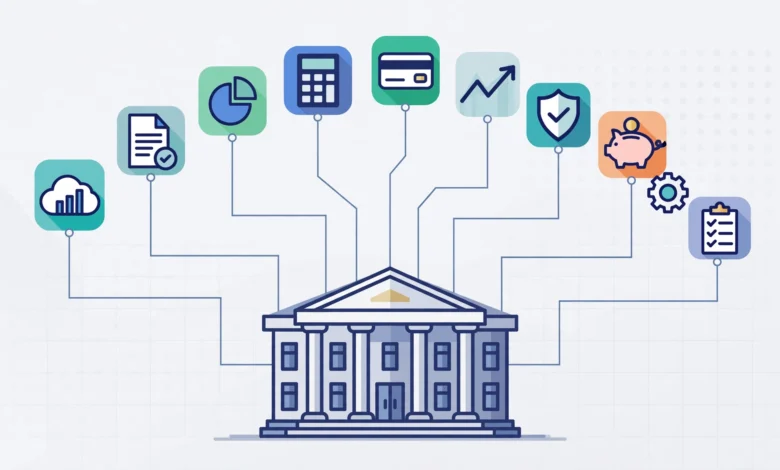
Top 10 accounting tools that integrate with your bank is a search many small business owners run right after spending an evening manually typing transactions into a spreadsheet. Bank integration sounds like a simple feature on paper: connect your account, watch transactions appear, but the reality varies enormously between platforms. Some tools pull in clean, categorized data within seconds. Others rely on shaky third-party connections that break every few weeks and leave you reconciling by hand anyway.
This distinction matters more than most buying guides admit. A platform’s bank feed reliability directly affects how much time you spend on bookkeeping every month, and it can be the difference between closing your books in minutes or losing an entire afternoon to fixing duplicate transactions and mismatched categories. Whether your connection runs through a direct API, an aggregator like Plaid, or a legacy screen-scraping method changes the whole experience, even if two products look similar on their marketing pages.
This guide walks through ten accounting tools with genuinely strong bank integration, covering how each one connects to your accounts, who it’s actually built for, and where its bank feed experience stands out or falls short. Whether you’re a freelancer, a small business owner, or running finance for an early-stage startup, you’ll find a clearer picture here than a generic feature comparison chart usually provides.
What Makes Bank Integration Actually Good or Bad
Before ranking specific tools, it helps to understand what separates a strong bank integration from a mediocre one. Not all connections are built the same way, and the underlying method matters more than most users realize.
- Direct API connections, used by more modern fintech-focused platforms, pull rich transaction metadata directly from the bank or financial platform, resulting in fewer errors and more context per transaction.
- Aggregator-based connections, using services like Plaid, MX, or Yodlee, connect to thousands of financial institutions through a middle layer, offering broad coverage but occasionally suffering from broken feeds or missing data during bank-side changes.
- Manual file import, the oldest method, requires downloading a statement file and uploading it into the software, still available as a fallback in most platforms but far less convenient than an automatic feed.
According to Plaid’s own documentation on bank connectivity, aggregator platforms like theirs currently connect to well over 12,000 financial institutions in the U.S. alone, which is part of why so many accounting platforms rely on this approach rather than building direct integrations with every bank individually.
Top 10 Accounting Tools With Strong Bank Integration
1. QuickBooks Online
QuickBooks Online remains one of the most widely used small business accounting platforms, and its bank feed functionality is a major part of that popularity. It connects to thousands of banks and credit cards, automatically categorizing transactions using rules that improve over time based on user corrections.
- Strong at automatically matching transactions to existing invoices and bills
- Supports multiple bank and credit card connections within a single account
- Occasional feed disconnections can occur when a bank updates its security protocols, requiring reconnection
2. Xero
Xero is frequently cited as having some of the most reliable bank connection and reconciliation tools in the industry, which is part of why it’s especially popular among accountants managing multiple clients at once. Its bank reconciliation screen is built to make matching transactions fast, even across high transaction volumes.
- Known for strong reconciliation speed and connection stability
- Supports multi-currency accounts, useful for businesses banking internationally
- Large third-party app ecosystem extends bank data into payroll, inventory, and reporting tools
3. Wave
Wave offers free core accounting features, including bank feed connections, making it a popular option for very small businesses and freelancers on a tight budget. Bank feeds pull transactions automatically, and the platform applies simple categorization rules to speed up bookkeeping.
- Free tier makes it accessible for solo operators and very small teams
- Bank feed reliability is generally solid, though the platform has fewer advanced reconciliation tools than paid competitors
- Best suited for straightforward income and expense tracking rather than complex multi-account setups
4. FreshBooks
FreshBooks built its reputation around invoicing, but its bank integration has become a genuine strength for freelancers and service-based businesses who want automatic expense tracking alongside client billing. Connected bank and credit card feeds import transactions daily, which can then be matched to invoices and categorized for tax purposes.


- Particularly strong for businesses that invoice frequently and want expenses tied directly to specific clients or projects
- Bank feed setup is generally described as straightforward for non-technical users
- Less suited to businesses needing complex multi-entity or inventory-based accounting
5. Zoho Books
Zoho Books offers robust bank feed functionality as part of its broader Zoho ecosystem, appealing to businesses already using other Zoho products for CRM, inventory, or project management. Bank transactions sync automatically and can be matched against invoices, bills, and existing accounting rules.
- Strong value proposition for businesses already inside the Zoho software ecosystem
- Automated bank rules reduce manual categorization over time
- Particularly popular among small to mid-sized businesses outside the U.S., given its global feature set
6. Sage Accounting
Sage Accounting supports direct bank feeds and has built a strong reputation in the UK specifically, where it’s widely used for VAT tracking and Making Tax Digital compliance alongside standard bank reconciliation. Sage’s feed connections import transactions automatically, streamlining what would otherwise be a fully manual VAT reporting process.
- Particularly strong for UK-based businesses managing VAT obligations directly through bank data
- Reliable reconciliation tools built specifically around regulatory compliance needs
- Less commonly recommended for businesses outside markets where Sage has strong regional compliance features
7. NetSuite
NetSuite, Oracle’s enterprise resource planning platform, supports bank feed integrations suited to larger, more complex organizations. Rather than a simple small-business bank feed, NetSuite’s banking integration ties into a much broader financial management and ERP structure, supporting multi-entity and multi-currency operations.
- Built for larger organizations with more complex financial structures than a typical small business
- Bank feed data integrates directly into broader financial reporting and multi-entity consolidation
- Overkill, and generally cost-prohibitive, for freelancers or very small businesses
8. QuickBooks Solopreneur
QuickBooks Solopreneur, Intuit’s current entry-level product for freelancers and sole proprietors, includes automatic bank and card connections designed around a simpler use case than full QuickBooks Online. Transactions sync automatically and are categorized for Schedule C tax reporting.
- Purpose-built for sole proprietors with straightforward tax and bookkeeping needs
- Bank feed setup is simple, reflecting the product’s overall lightweight design
- Not suited to businesses needing multi-user access, inventory, or payroll functionality
9. Puzzle
Puzzle represents a newer category of AI-native accounting software built specifically for startups, with direct API integration into modern business banking platforms like Mercury rather than relying solely on third-party aggregators. This direct connection approach is designed to reduce the broken feeds and missing transaction context that can occur with traditional aggregator-based methods.
- Automates a large share of transaction categorization using AI trained specifically on startup financial patterns
- Designed to significantly speed up monthly bank reconciliation compared to manual or rules-based systems
- Best suited to venture-backed or early-stage startups already banking with supported fintech platforms, rather than traditional small businesses
10. Ramp
Ramp, primarily known as a corporate card and spend management platform, has expanded into deeper accounting integration territory, syncing card and bank transaction data directly into general ledger systems in near real time. For businesses using Ramp cards alongside traditional accounting software, this creates a tighter feedback loop between spending and bookkeeping than a standard bank feed alone provides.
- Strong fit for businesses that want spend controls and accounting sync combined in one system
- Reduces reconciliation work by matching card transactions to receipts and categories automatically
- Works best alongside, rather than instead of, a dedicated accounting platform for full bookkeeping and tax reporting
How to Choose the Right Tool for Your Bank Integration Needs
With ten legitimate options on the table, narrowing down the right fit comes down to a few practical questions:
- How many bank accounts and cards do you need to connect?
Businesses with multiple accounts across different institutions benefit most from platforms with broad aggregator coverage, like QuickBooks Online or Xero.
- Do you need multi-currency support?
International businesses should prioritize platforms like Xero or Zoho Books, which handle multi-currency reconciliation more thoroughly than simpler tools.
- Is your business a startup on modern fintech banking?
If you’re already using a platform like Mercury, a direct-API tool like Puzzle may offer a smoother experience than a traditional aggregator-based connection.
- Do you need VAT or region-specific compliance features?
Sage remains a strong choice for UK-based VAT tracking tied directly to bank data.
- Are you a sole proprietor with simple needs?
QuickBooks Solopreneur or Wave will likely serve you better than an enterprise-grade platform like NetSuite.
Common Bank Integration Issues to Watch For
Even the best platforms occasionally run into bank feed problems, and knowing what to expect helps avoid unnecessary frustration.
- Disconnections after bank security updates, which typically require re-authenticating the connection rather than indicating a permanent problem
- Duplicate transactions, which can occur when a manual import overlaps with an automatic feed covering the same date range
- Delayed syncing, particularly around bank-side maintenance windows or holidays
- Missing transaction metadata, more common with older aggregator-based connections than with newer direct API integrations
Most of these issues are minor and resolve with a reconnection or a brief support interaction, but they’re worth factoring into your expectations rather than assuming any bank feed will be flawless indefinitely.
Conclusion
Choosing among the top accounting tools that integrate with your bank comes down to matching a platform’s connection method and feature depth to your actual business situation, rather than picking whichever name appears most often in search results. QuickBooks Online and Xero remain the strongest general-purpose choices for most small businesses, Wave and FreshBooks serve freelancers and service providers well, Zoho Books and Sage fit specific ecosystem and compliance needs, NetSuite handles enterprise complexity, and newer entrants like Puzzle and Ramp are pushing bank integration toward faster, more direct connections built around modern fintech banking. Whatever you choose, prioritize reconciliation speed and connection reliability as much as any other feature, since a bank feed that constantly breaks or miscategorizes transactions will cost you more time than it ever saves.