Accounting Software With Tax Filing Support 2026: 7 Powerful Picks That Simplify Filing
Accounting software with tax filing support compared for 2026, covering QuickBooks, Quicken, TurboTax integration, and honest pricing.

Accounting software with tax filing support solves a problem that trips up more small business owners than almost anything else: the gap between tracking your income and expenses all year and actually turning that data into a filed tax return. Plenty of platforms handle bookkeeping well. Far fewer connect that bookkeeping directly to a completed, submitted return without forcing you to manually re-enter every number into a separate piece of tax software come April.
That gap matters more than it sounds. Manual re-entry between your books and your tax return is one of the most common sources of small business filing errors, and every transfer between systems is a chance to miscategorize an expense or miss a deduction entirely. The software options that actually close this gap, either through built-in filing, direct data export, or tight integration with a dedicated tax product, save real time and reduce real risk.
This article walks through the best accounting software options with genuine tax filing support in 2026, what “tax filing support” actually means for each one (since it ranges from full in-app filing to clean data export), how pricing works, and which option fits your specific business structure, whether that’s a sole proprietorship, an LLC, or an S-corp. We’ll also cover what to watch out for, since not every platform marketed as having “tax support” actually files your return for you.
What “Tax Filing Support” Actually Means in Accounting Software
Before ranking specific tools, it’s worth clarifying that “tax filing support” isn’t a single, consistent feature. It shows up in a few distinct forms, and understanding the difference will save you from assuming a platform does more than it actually does.
Built-In Filing
Some platforms let you complete and submit your tax return directly within the accounting software itself, either through a native feature or a bundled add-on service. This is the most seamless form of support, since your bookkeeping data flows straight into the return without you touching a separate application.
Direct Data Export to Tax Software
Other platforms don’t file returns themselves but export your financial data in a format, often a .txf or .txj file, that imports directly into dedicated tax software like TurboTax or TaxAct. This still eliminates manual re-entry, even though filing happens in a separate product.
Third-Party Integration
A third category connects to tax software through an API or partnership rather than a simple file export, syncing income statements, general ledger details, and vendor payments automatically. This is common in professional tax prep contexts where an accountant is managing multiple client files.
Why the Distinction Matters
If you assume your accounting software “does your taxes” when it actually just exports a file, you may end up needing a separate subscription to a tax filing product anyway. Knowing which category a platform falls into upfront helps you budget accurately and avoid an unpleasant surprise in March.
Top Accounting Software Picks With Tax Filing Support
1. QuickBooks Online with Intuit Expert Business Tax
QuickBooks Online is primarily an accounting and bookkeeping platform, but its tax filing capability, Intuit Expert Business Tax, powered by TurboTax, is available as an add-on service across all QuickBooks Online plans. This makes it one of the most complete accounting-to-filing pipelines available for small businesses already using QuickBooks day to day.


Key strengths:
- Deep integration means income, expenses, and deductions import automatically into the tax filing process without manual re-entry
- TurboTax’s interview-style interface guides you through each section of the return
- Live expert review is available at higher tiers for more complex filing situations
- Works well for LLCs, partnerships, and corporations that need forms beyond a simple Schedule C
Where it falls short: This combination sits at a premium price point once you factor in both the QuickBooks subscription and the tax filing add-on, and the upselling that happens throughout TurboTax’s checkout flow can be genuinely irritating if you just want a straightforward filing experience.
2. Quicken Business & Personal
Quicken’s Business & Personal product takes a “tax-ready year-round” approach rather than treating tax season as a separate event, which industry rankings have called out as the best overall pick in this category for 2026.
Key strengths:
- Manages up to 10 businesses from a single account, useful for consultants or side-business owners juggling multiple income streams
- Keeps books in a tax-ready state throughout the year rather than requiring a scramble in Q1
- Integrates invoicing with Stripe and supports estimated quarterly tax tracking
- Priced affordably at roughly $4.99/month billed annually, well below most competitors on this list
Where it falls short: Quicken itself doesn’t file your return, so you’ll still need to export your data into TurboTax, TaxAct, or a similar filing product when it’s time to submit. It’s a preparation tool more than a full filing solution.
3. TurboTax Business
TurboTax remains the most recognized name in tax software, and for 2026, Intuit has expanded its AI-assisted guidance throughout the filing process.
Key strengths:
- SmartLook video support connects you with a live expert when you get stuck
- Automatic import of W-2s and 1099s reduces manual entry
- Industry-specific deduction discovery helps surface write-offs you might otherwise miss
- The “Live” tier adds audit defense and a CPA review of your completed return
Where it falls short: TurboTax is consistently the most expensive option in this category, and the platform’s upselling throughout checkout is a common complaint. It’s best suited to filers willing to pay for a polished, guided experience and genuine peace of mind rather than those hunting for the lowest-cost option.
4. H&R Block Self-Employed
H&R Block combines a solid digital filing experience with something most competitors on this list can’t offer at all: access to in-person support at thousands of physical retail locations.
Key strengths:
- Handles Schedule C, self-employment tax calculations, and common business deductions
- Accuracy and audit guarantees provide added reassurance for first-time business filers
- The option to sit down face-to-face with a tax professional if your situation gets complicated mid-filing
Where it falls short: H&R Block’s accounting-side bookkeeping features are lighter than dedicated platforms like QuickBooks or Xero, so it works best as a tax filing solution layered on top of separate bookkeeping software rather than an all-in-one system.
5. TaxSlayer Self-Employed
For cost-conscious filers, TaxSlayer Self-Employed packs a genuinely full feature set into the lowest price tier among the major tax filing platforms.
Key strengths:
- Covers Schedule C, self-employment tax, and quarterly estimated tax calculations
- Meaningfully cheaper than TurboTax or H&R Block for comparable functionality
- A straightforward, less upsell-heavy checkout experience
Where it falls short: TaxSlayer doesn’t offer the same depth of live expert support or in-person options as H&R Block, and its interface, while functional, isn’t as polished as TurboTax’s guided experience.
6. TaxAct
TaxAct differentiates itself by offering separate, structure-specific online products rather than a single one-size-fits-all business filing tool.
Key strengths:
- Distinct products for each business structure: sole proprietors ($109.99), partnerships ($159.99), and S-corporations or C-corporations ($169.99 each)
- Covers the corresponding federal forms for each entity type, with state filing available as an add-on
- A long track record, having served over 690,000 businesses
Where it falls short: Pricing is structured per entity type rather than as a flat fee, and if you’re managing multiple business structures, costs can add up faster than platforms with a single flat pricing tier.
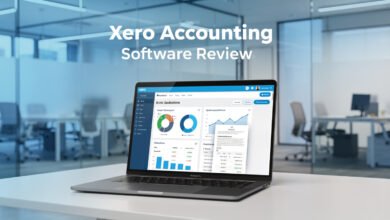
7. Xero with Tax Data Export
Xero doesn’t file taxes directly, but its bookkeeping and 1099 management capabilities make it one of the stronger accounting platforms to pair with a separate filing product.
Key strengths:
- Strong 1099 tracking and management for businesses that work with contractors
- Clean financial data export that reduces manual re-entry into TurboTax, TaxAct, or a CPA’s preferred filing software
- Unlimited users at every pricing tier, an advantage for firms with multiple staff needing bookkeeping access
Where it falls short: Since Xero doesn’t include native filing, you’ll need to budget for a separate tax filing subscription or a CPA relationship, unlike platforms that bundle both into a single ecosystem.
Free and Budget-Friendly Options Worth Knowing About
Not every business needs a premium, fully integrated solution, and a couple of budget-conscious options are worth mentioning.
- FreeTaxUSA – Widely regarded as the best free option for straightforward Schedule C filers, though it lacks the bookkeeping integration of paid accounting platforms
- Wave – A strong free bookkeeping and invoicing tool, though it requires exporting data to a separate tax filing product rather than filing within the platform itself
- FreshBooks – Solid for day-to-day invoicing and expense tracking, with exportable reports that streamline handing off to an accountant or importing into tax software, though it doesn’t include native filing
Accounting Software vs. Tax Filing Software: Understanding the Difference
It’s worth being explicit about a distinction that trips up a lot of business owners researching this topic: accounting software and tax filing software solve two different problems, even when they’re sold as part of the same ecosystem.
- Accounting software (QuickBooks, Xero, Wave, FreshBooks) handles daily recordkeeping: tracking sales, invoices, expenses, and generating financial statements throughout the year
- Tax filing software (TurboTax, TaxAct, H&R Block, TaxSlayer) is generally used once a year to translate that financial data into an actual return submitted to the IRS
Ideally, a small business uses both, either through a bundled product like QuickBooks with Intuit Expert Business Tax, or by pairing separate best-in-class tools for each function. If you’re a sole proprietor, personal tax software with a “Self-Employed” add-on may cover your needs adequately. If you’re structured as an LLC, partnership, or corporation, you’ll generally need dedicated business tax software capable of handling forms like the 1065 or 1120-S, which most consumer-grade personal tax products don’t support.
How to Choose the Right Combination for Your Business
A few practical questions can narrow down the right fit quickly:
- What’s your business structure? Sole proprietors have more flexibility to use lighter, cheaper tools, while LLCs, partnerships, and corporations need software built for the corresponding tax forms.
- Do you want filing built in, or are you comfortable exporting data? If seamlessness matters most, prioritize QuickBooks with its TurboTax integration. If you’re comfortable with a two-step process, pairing Xero or Wave with a standalone filing product can save money.
- Do you want the option of in-person help? H&R Block is the only major option on this list offering face-to-face support at physical locations, which matters if you’re filing business taxes for the first time and want a human to walk through it with you.
- How many businesses or entities are you managing? Quicken Business & Personal’s ability to manage up to 10 businesses from one account is a distinct advantage for consultants or side-business owners with multiple income streams.
- What’s your actual budget once add-ons are included? A platform’s advertised base price often excludes the tax filing add-on itself, so calculate the total combined cost before comparing options.
For authoritative guidance on which forms and filing requirements apply to your specific business structure, the IRS’s own small business tax center is the most reliable starting point before choosing software (IRS: Small Business and Self-Employed Tax Center). For an independent, regularly updated comparison of accounting platforms by feature and price, Capterra’s directory allows filtering by business size and specific tax-related capabilities (Capterra: Accounting Software).
Conclusion
The best accounting software with tax filing support in 2026 depends heavily on your business structure, how hands-on you want to be with the actual filing process, and whether you’re willing to pay a premium for a fully bundled experience. QuickBooks Online paired with Intuit Expert Business Tax offers the tightest integration for businesses already in that ecosystem, Quicken Business & Personal keeps things tax-ready year-round at a notably lower cost, and standalone filing products like TurboTax, H&R Block, TaxSlayer, and TaxAct each serve different priorities, from guided simplicity to in-person support to budget-conscious entity filing. For businesses comfortable exporting data between systems, pairing Xero or Wave with a dedicated tax product remains a perfectly reasonable, often cheaper path. Whichever combination you choose, understanding whether a platform actually files your taxes or simply prepares data for a separate filing step will save you from an unwelcome surprise when the deadline actually arrives.